Put everything you know about every client to work
Zocks Client Profiles builds a working record for every person you serve, kept current from meetings, emails, CRM, and planning tools. You see the full picture, and Zocks uses it to fill out forms, draft follow-ups, and prep for meetings.


Know clients better, with less effort

Heading
Lorem ipsum dolor sit amet, consectetur adipiscing elit.
Heading
Lorem ipsum dolor sit amet, consectetur adipiscing elit.
Heading
Lorem ipsum dolor sit amet, consectetur adipiscing elit.
Bring everything you know about a client into one record
Every meeting and email adds to the client record without any manual entry. Zocks captures what was discussed, extracts the relevant details, and updates the profile automatically. Names, goals, life events, account details, and open priorities stay current after every interaction.
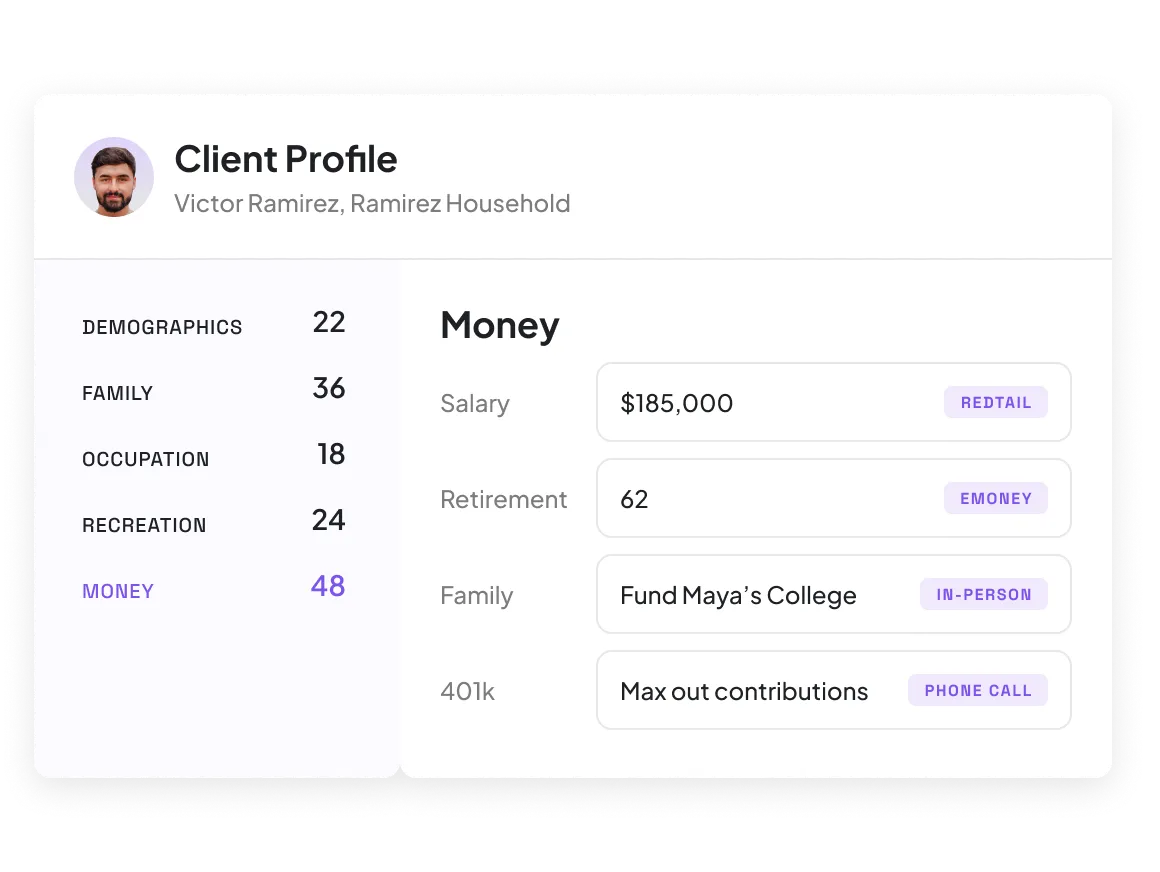
Keep each profile current, and see what changed
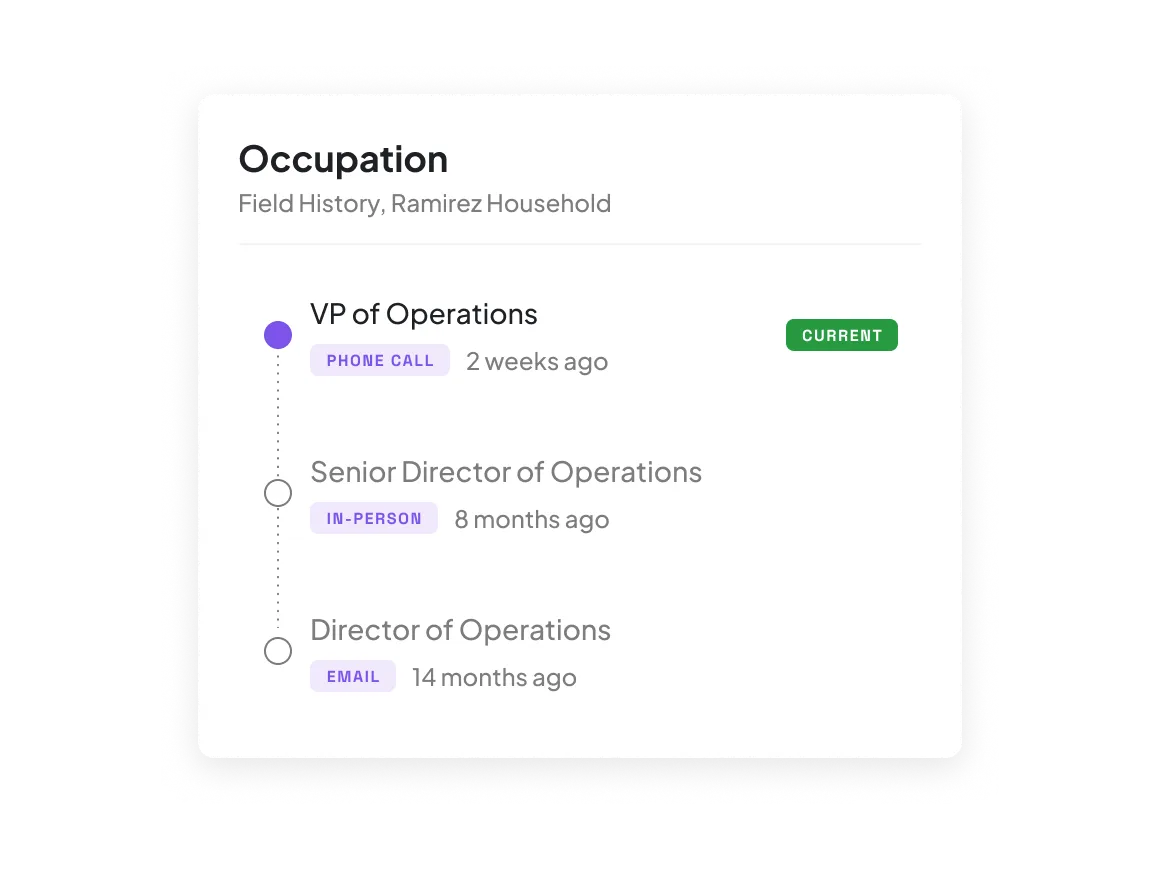
Zocks updates each profile after every conversation, starting from your latest CRM data. Review what changed and edit any field. Each change records its prior value, date, and source, so you can track a promotion or any life event over time.
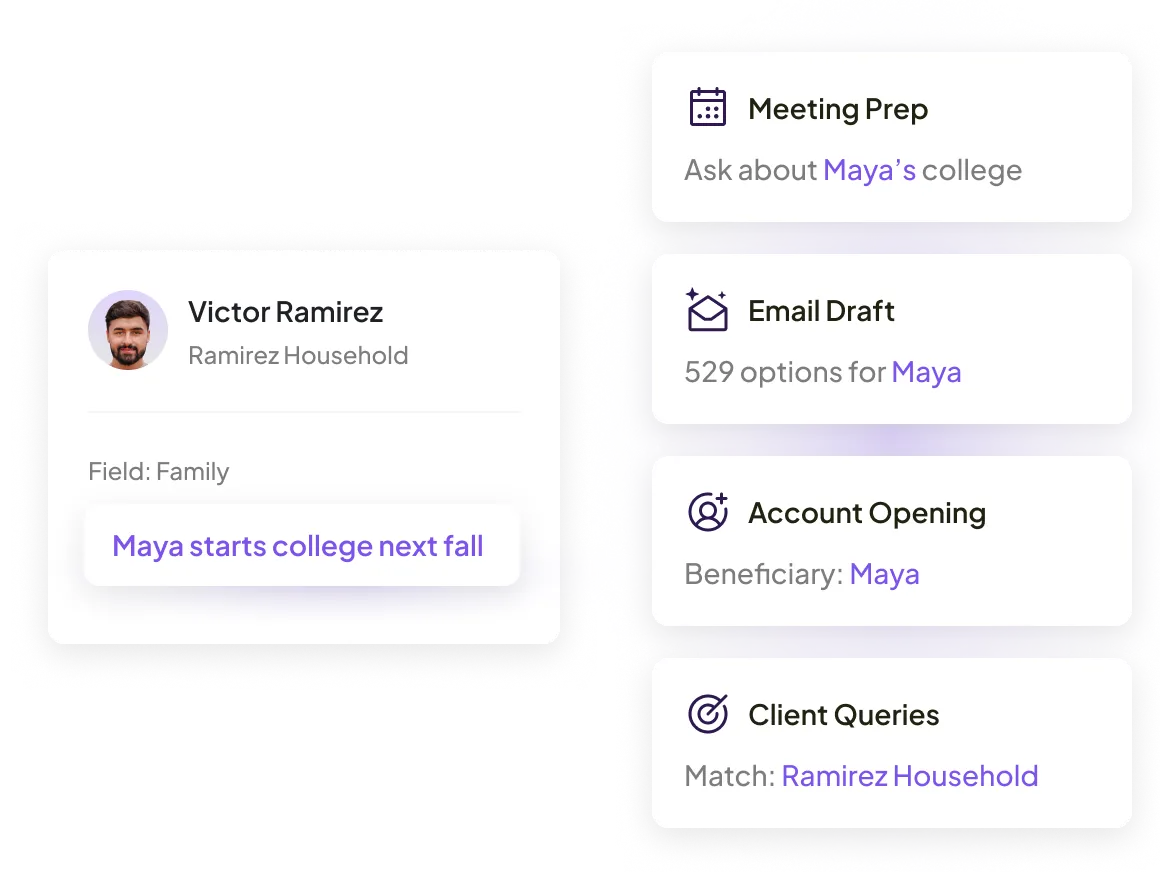
Turn client details into completed work
Each profile holds the details Zocks AI uses to get work done for you, from meeting prep and follow-up emails to forms and account opening. Ask Zocks anything about one client or search your whole book to surface trends and growth opportunities.
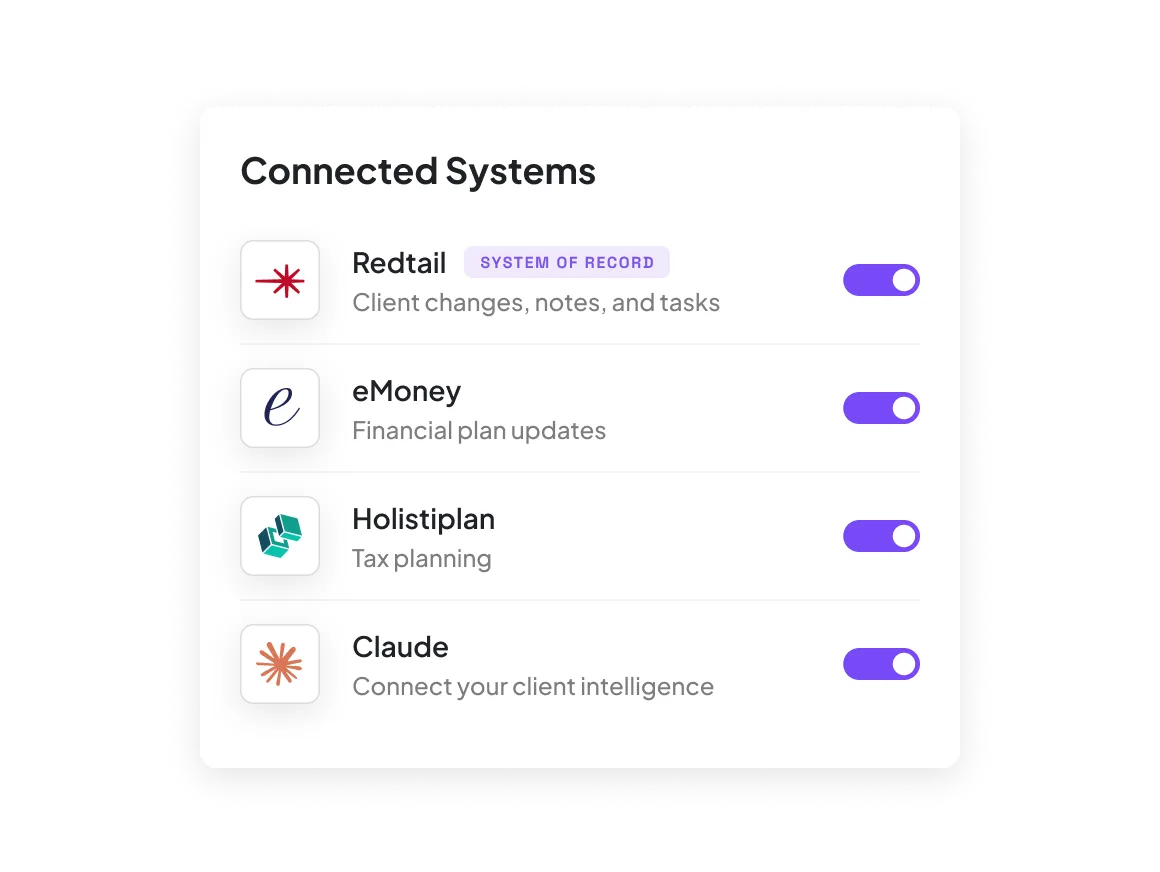
Connect your CRM, planning, and AI tools to one profile
Client Profiles pulls from your CRM, like Redtail or Salesforce, and connected planning tools. Zocks then uses the full picture across your firm's tools, from updating eMoney plans to giving Claude and ChatGPT the same details through Zocks MCP.


FAQs
Zocks Client Profiles builds one working record for every person you serve, from your meetings, emails, CRM, and planning tools. Zocks organizes it by the FORM framework (Family, Occupation, Recreation, and Money) and updates it after every conversation. Zocks AI then uses it for meeting prep, follow-ups, forms, account opening, and more.
Each profile pulls from your client meetings (video, phone, or in person), email threads, and your CRM. On the Ultimate plan, it also pulls from other connected systems, like eMoney and RightCapital. For an existing client, Zocks starts from CRM data, then adds what it learns after every conversation.
No. Zocks never records audio or video of client meetings. It captures the details that matter, like a new job or a growing family, and adds them to the client's profile with the date and source. Clients can speak freely, and nothing they share gets lost.
No. Most firms keep the CRM as their official record for compliance. Client Profiles works alongside it, pulling in your CRM data and adding what clients tell you, with the history of every change. Zocks pushes notes, tasks, and client changes to your CRM in one click.
Your CRM holds what someone typed in. Client Profiles brings that together with your planning data and what clients told you, in full context. It updates after every conversation and keeps the history and source of every change.
Yes. Each profile change is logged with the prior value, a timestamp, and the source, such as a phone call, an in-person meeting, an email, or your CRM. You can track a raise or a change in business ownership from the day your firm connects Zocks.
Yes. After each meeting, and in the Email Hub after emails, Zocks shows you a summary of what changed in the profile. You can review and edit any field at any time from the contact's page, so the profile reflects what you know about the client.
Client Profiles data powers meeting prep, follow-up emails, Zocks Forms, Zocks Account Opening (on the Ultimate plan), and the insights Zocks builds across your book. Ask Zocks AI anything about a client and get answers drawn from their profile, with sources cited.
Not on its own. Client Profiles reads from your CRM and never overwrites it, so your CRM stays your system of record. After a meeting, you can push notes, tasks, and client changes to your CRM in one click.
Yes. Zocks MCP lets tools like Claude and ChatGPT pull from Client Profiles data, so their drafts and answers fit each client. Access is read-only and limited to what you can already see in Zocks.
Client Profiles is included on the Zocks Professional and Ultimate plans, and in the free trial of each. On Professional, profiles pull from your CRM. Ultimate also pulls from planning tools and other connected systems, and adds Zocks Account Opening, which uses Client Profiles data to open accounts right the first time.
Get started for free in less than 10 minutes