Reply to any client email in seconds
Zocks Email automatically drafts detailed replies to client emails, in your tone of voice, so you can give every client fast, personalized service.


Follow up faster, without spending time hunting for answers

Heading
Lorem ipsum dolor sit amet, consectetur adipiscing elit.
Heading
Lorem ipsum dolor sit amet, consectetur adipiscing elit.
Heading
Lorem ipsum dolor sit amet, consectetur adipiscing elit.
Give every client a complete, personalized answer
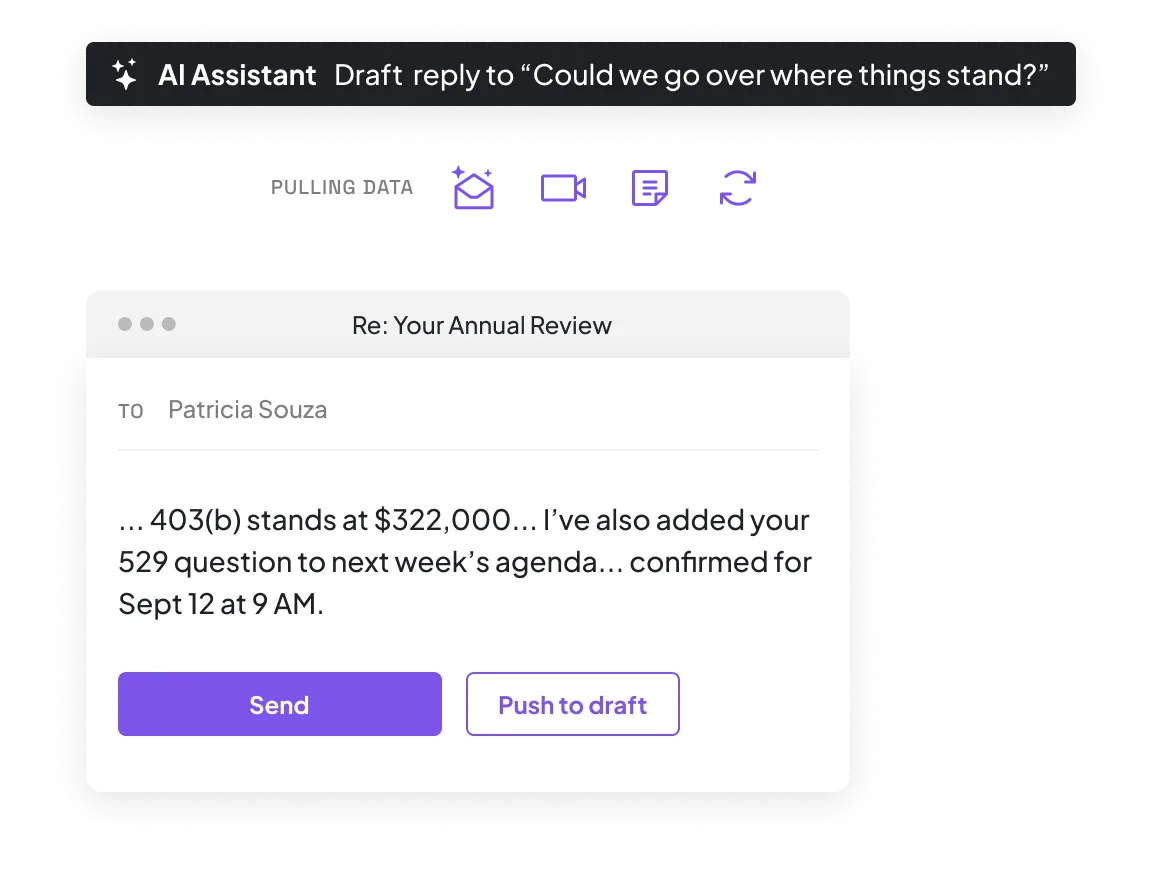
When a client email arrives, Zocks reads what it’s about, pulls the right template, and drafts a reply using real data from your CRM, meeting history, and planning systems. A booking request comes back with your available times. A plan question pulls the specific detail they asked about.
Make every email sound like you, automatically
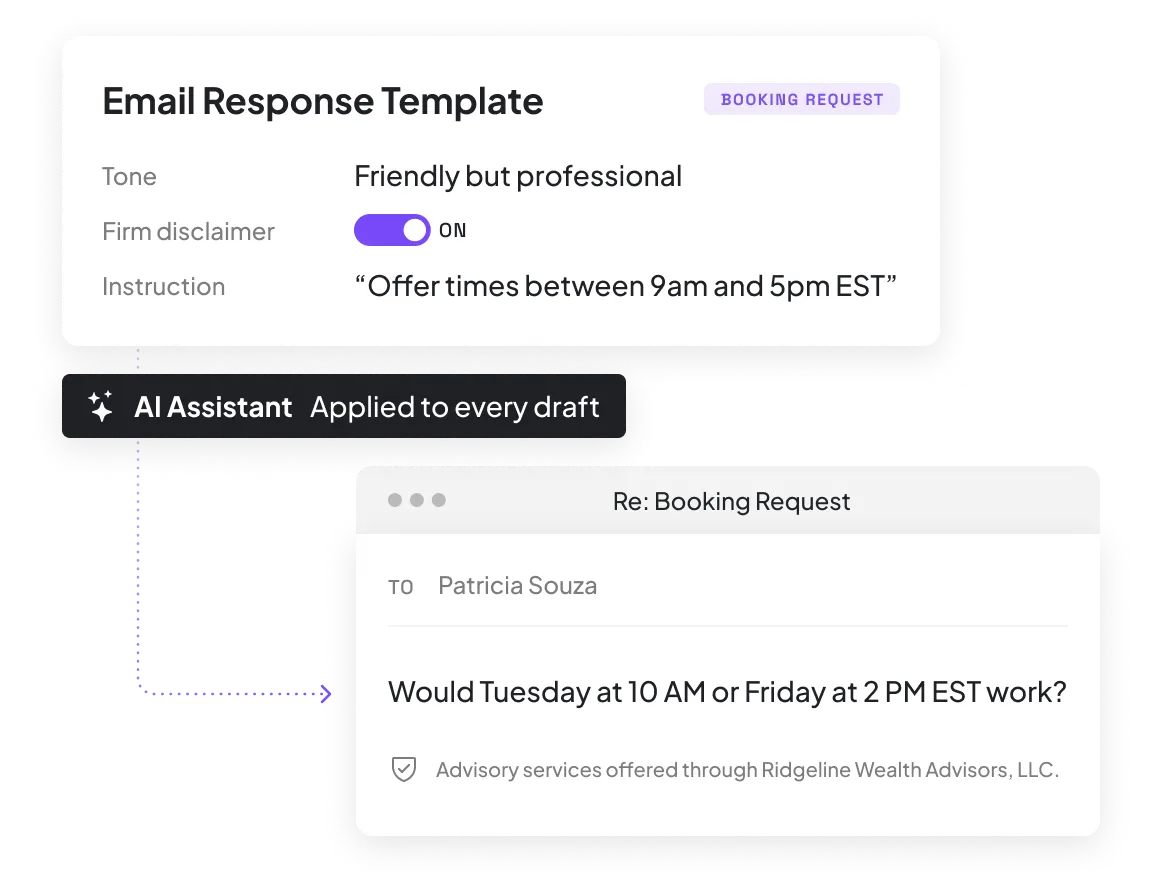
Every draft reflects your tone, style, and format, set through templates you control. Set the phrases your firm uses, add disclaimers, and give your AI assistant standing instructions like "always confirm before processing money movement.”
Reply from the inbox you already use
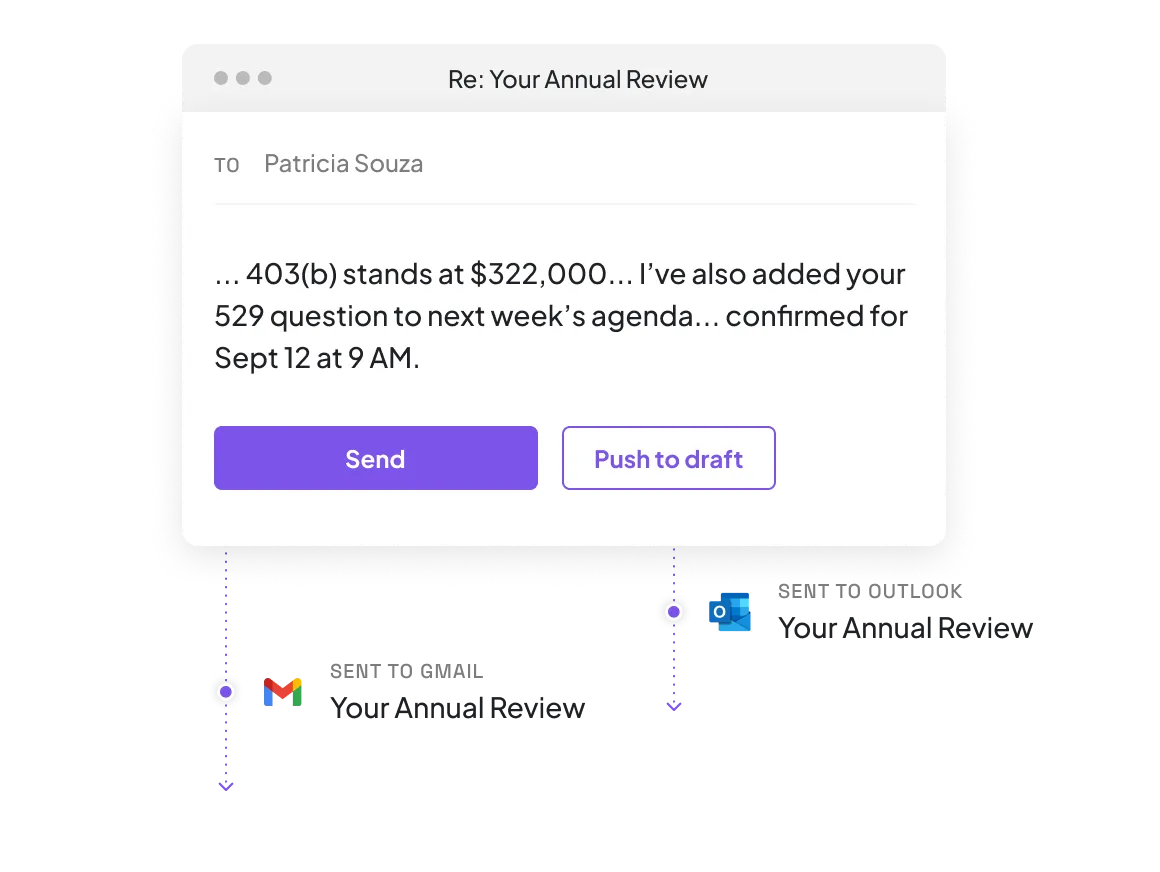
Drafts land in Outlook or Gmail, ready to review and send directly from your mailbox or the Zocks add-in for Outlook. Each draft shows where every detail came from, so you can check it before you send.
Sync client details, action items, and life events from every email
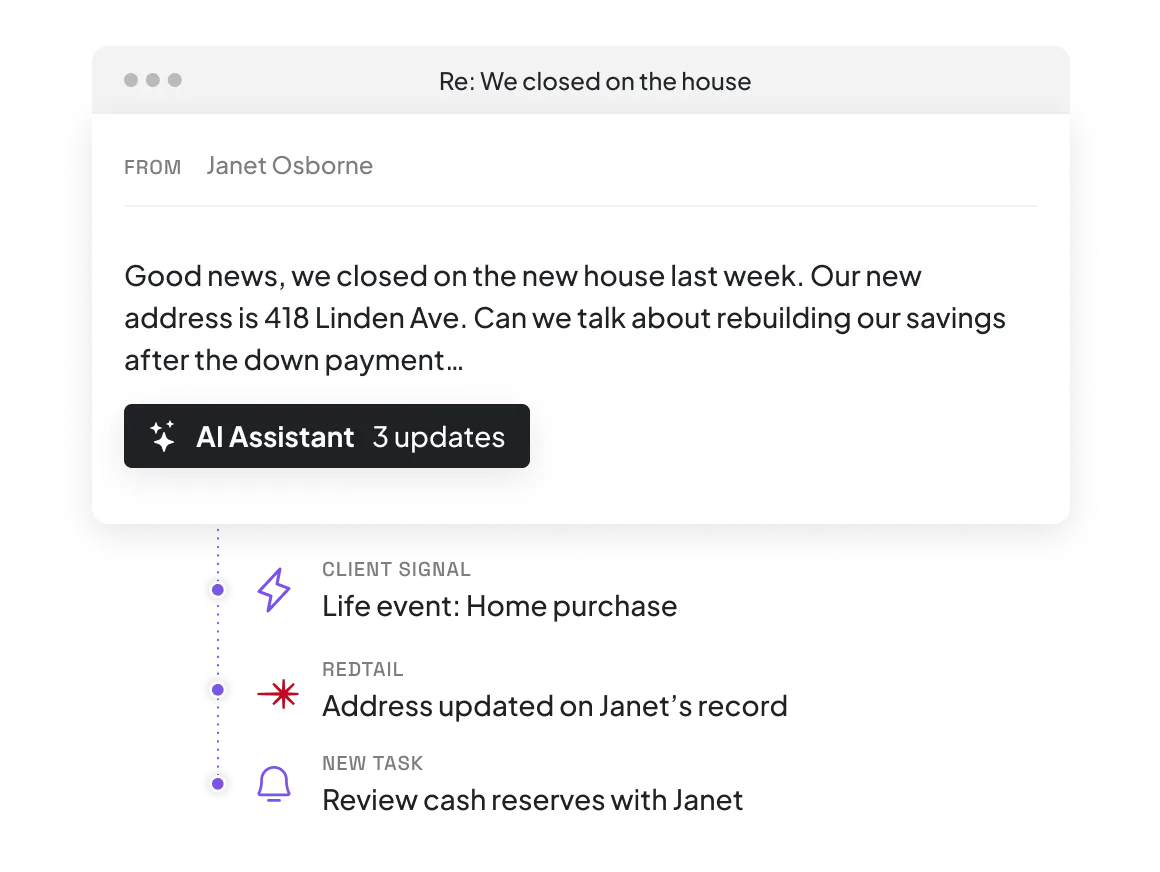
Zocks reads your client emails and keeps your records up to date. When a client mentions a new home, Zocks logs it as a life event. When they ask to update a beneficiary, it becomes a follow-up task in your CRM.
Here’s why we’re rated #1




FAQs
No. Zocks never sends anything automatically. Every draft waits for you to review, edit if needed, and send. You can also set specific email types, like money movement requests, to skip drafting entirely and come straight to you.
No. Zocks reads email content to generate replies but never permanently imports or stores your emails or attachments. Disconnect your inbox and access is revoked immediately. No LLMs hold or train on your data.
Zocks pulls from your CRM, meeting history, and planning systems to draft each reply, with citations showing where every detail came from. A general-purpose AI tool only sees the message in front of it. Zocks sees the relationship.
Microsoft Outlook and Gmail. Review, edit, and send directly from Outlook with the Zocks add-in, or sync drafts to either mailbox and send from there. One inbox connects per user.
Only emails from people saved as Contacts in your system, and only for clients whose consent status allows it. Emails from anyone else pass through untouched. You control consent rules in your compliance settings.
Set templates by email type with your firm’s tone, required disclaimers, and standing instructions for the AI assistant. Every draft follows them. Full audit trails and archiving integrations cover the rest.
Get started for free in less than 10 minutes