.svg)

Open Schwab Advisor Services™ accounts with much less work
Zocks automatically collects client details, completes Schwab Advisor Center’s® digital onboarding fields, and catches errors before submission. Now you can reduce NIGOs, open accounts with less back-and-forth, and give clients a better onboarding experience.

Open accounts faster and put Schwab data to work
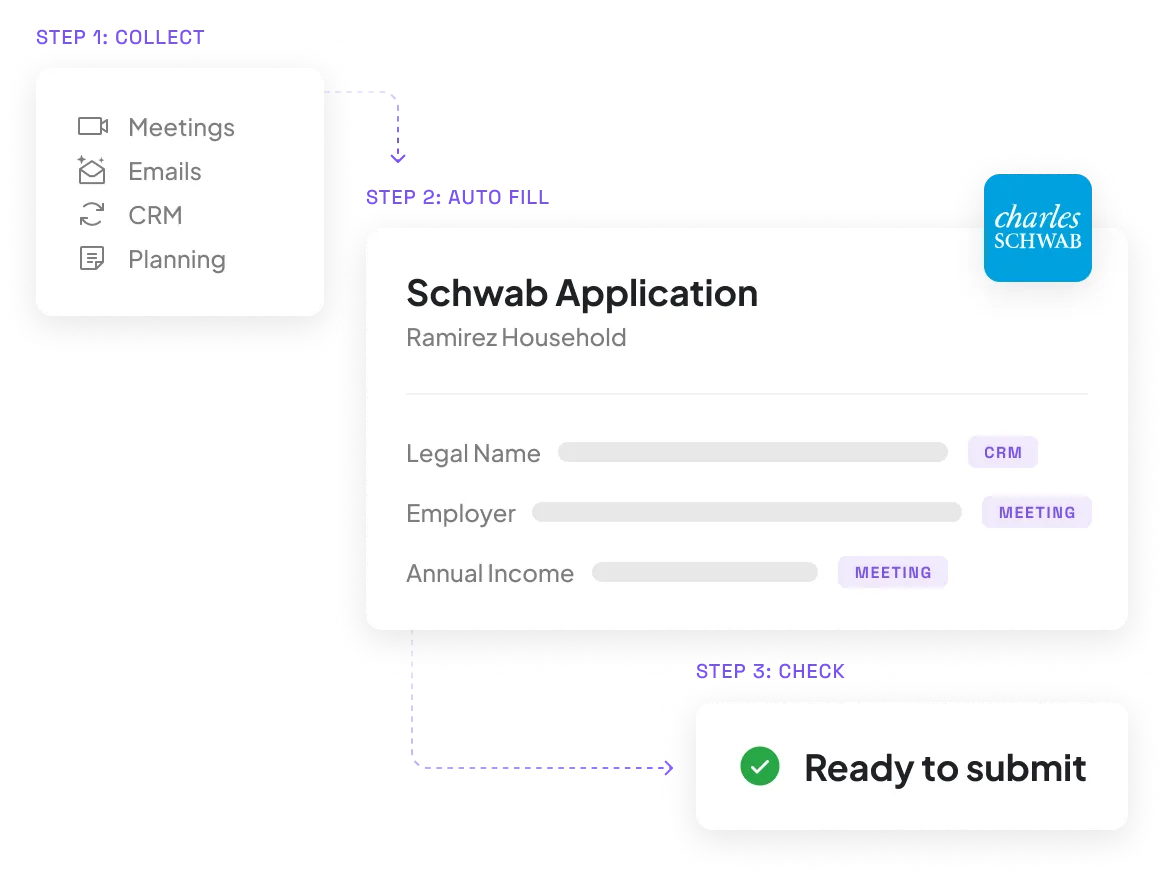
Automatically collect client details and complete Schwab Advisor Center digital onboarding workflows
Zocks gathers client information from meetings, emails, and connected CRM and planning systems, then populates fields in Schwab Advisor Center’s digital onboarding workflow. Use the Client Intake template to cover everything you need in the first meeting, so you're not chasing clients for missing details later.
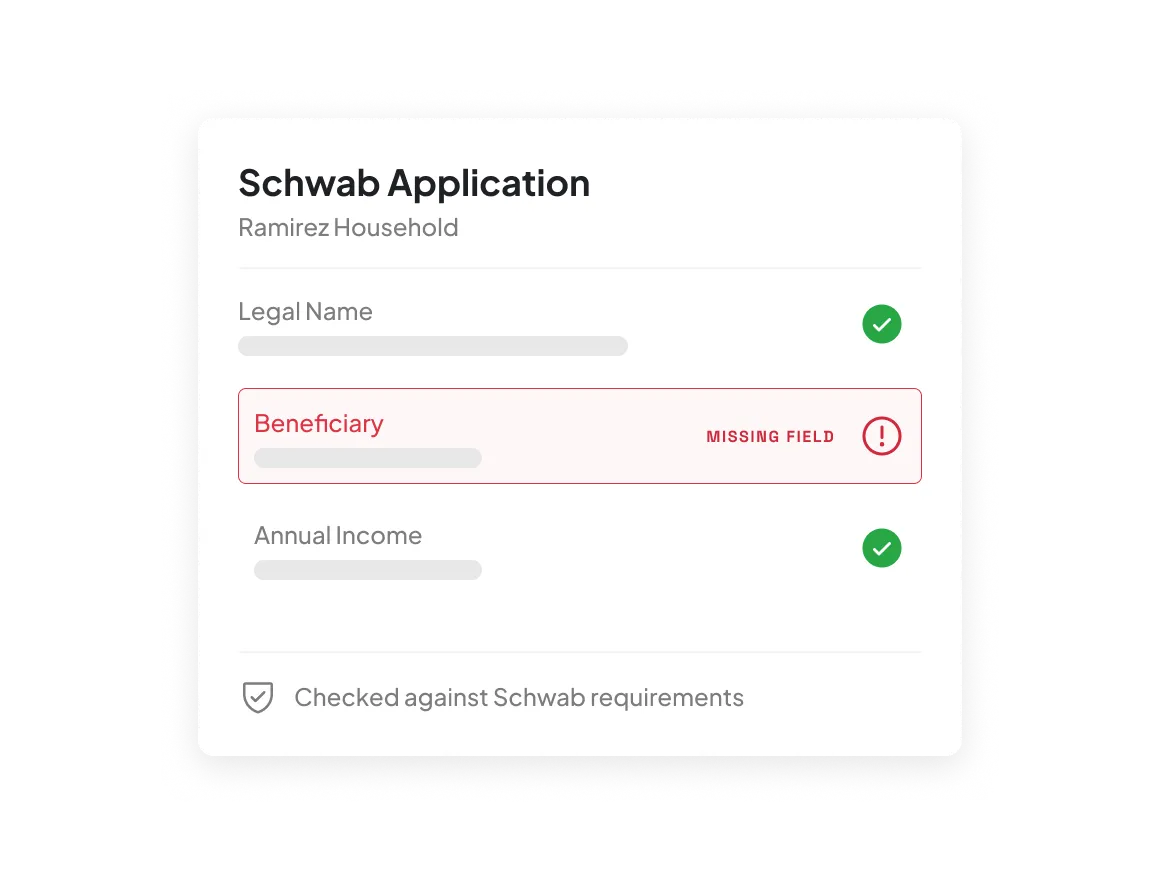
Catch errors before Schwab sends them back
Zocks flags missing or conflicting fields, then checks the full application against Schwab's requirements before it's sent. You fix issues before your client signs, so fewer applications come back NIGO.
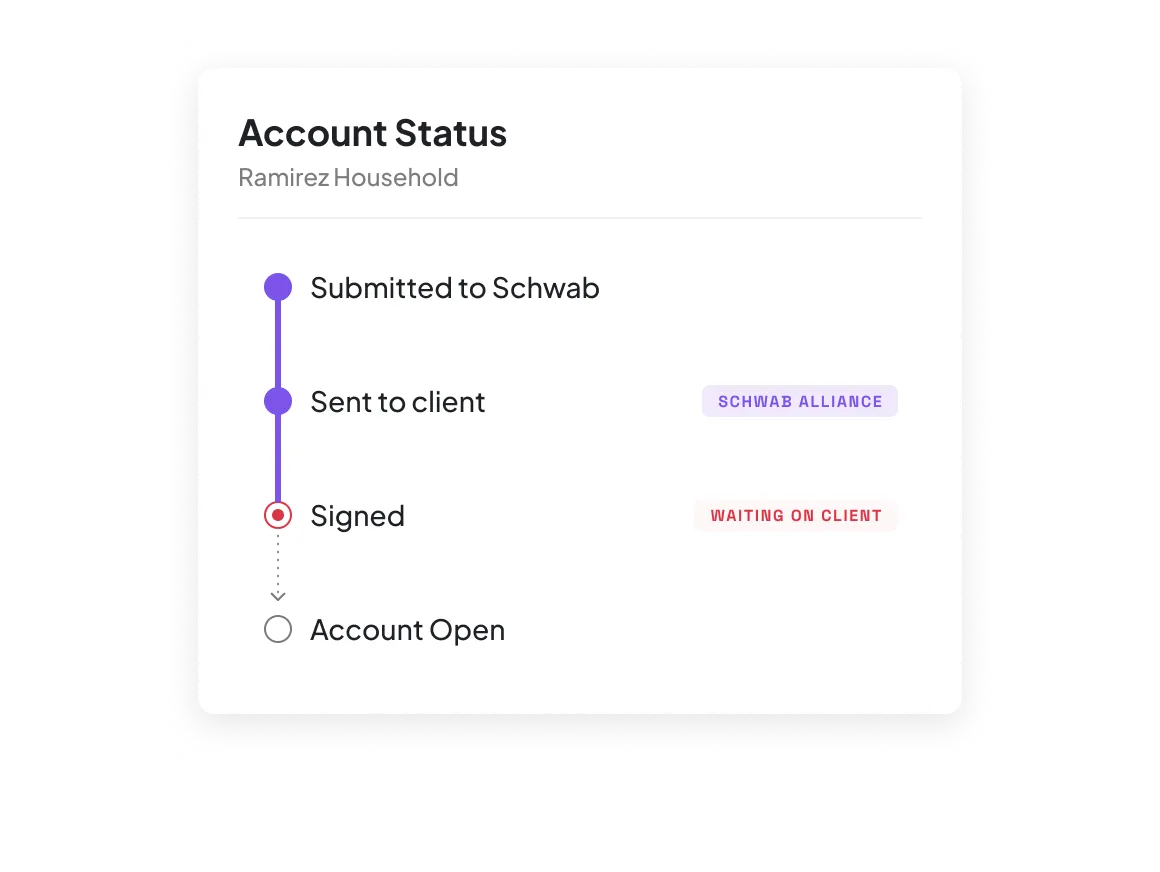
Track every envelope until it’s signed
See where every account application stands in Zocks, from submitted to signed. Clients still electronically authorize using their secure Schwab Alliance™ credentials.
Prep for every review with current Schwab data
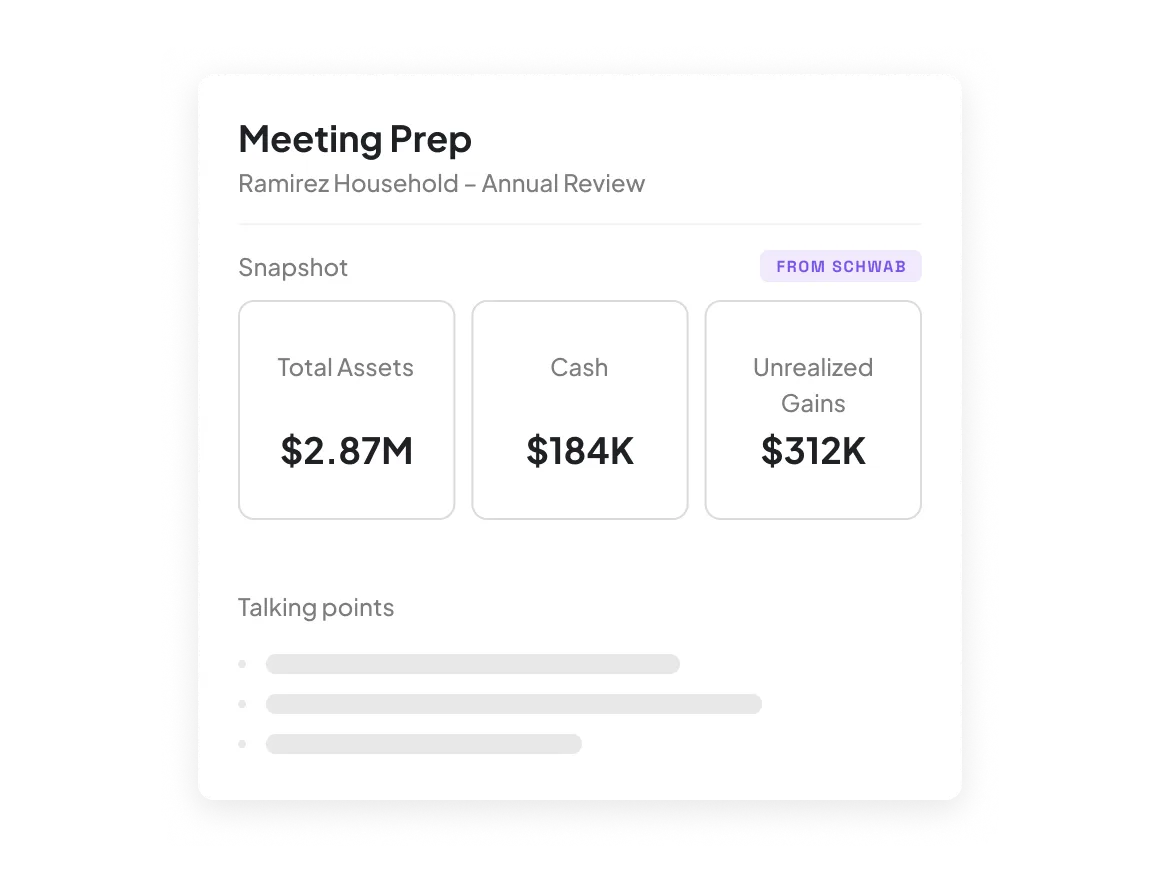
Zocks pulls balances, positions, cost basis, and gains from Schwab into your meeting prep, next to past conversations and data from your connected systems. Everything for the review is on one page.
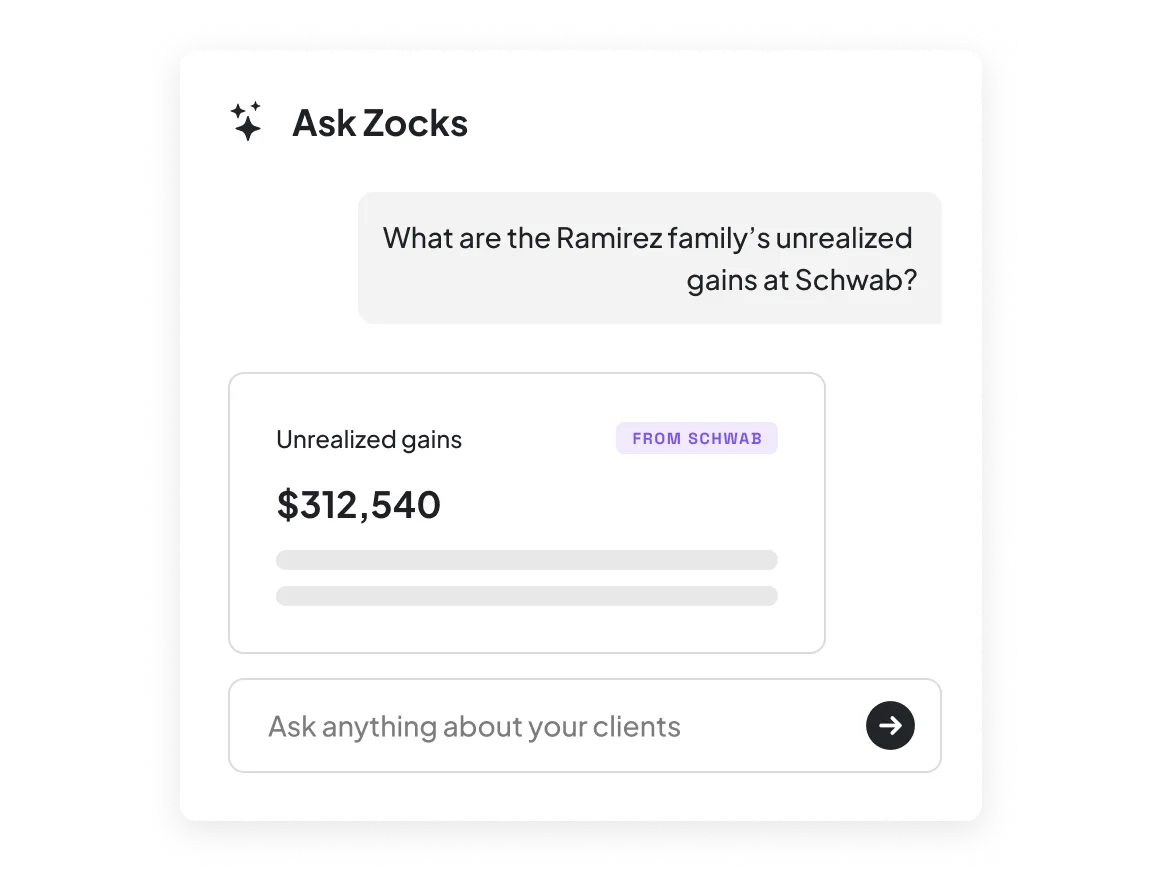
Ask Zocks anything about a client’s Schwab account
Ask “What are the Ramirez family’s unrealized gains at Schwab?” and get the answer without logging in to Schwab Advisor Center®. Get answers in real time mid-meeting, and use the same data to draft emails and fill out forms.
How Zocks works with Schwab
A direct, two-way, on-demand connection to your clients' Schwab Advisor Services accounts

Sync Direction
Two-way. Writes new account applications to Schwab. Reads account data from Schwab.

Account Opening
Completes Schwab digital onboarding workflows from meetings and connected systems. Validated against Schwab's requirements before submission. Signature status tracked in Zocks.

Account Types
Schwab One brokerage: individual, joint, tenants in common, community property, tenants by the entirety, designated beneficiary, living trust, custodial. IRAs: traditional, Roth, rollover, inherited. SEP and SIMPLE IRAs coming. Supports both new and existing clients.

Data from Schwab
Balances and cash, holdings and positions, transactions, per-lot cost basis with wash-sale indicators, realized and unrealized gains, account status, account owner structure.

Data Freshness
Pulled on demand, directly from Schwab Advisor Center. Current the moment you ask.

Workflow Coverage
Meeting Prep, Ask Anything, Email, and Forms.

Connection & Security
Secure login through Schwab Advisor Center. Access limited to the accounts you permission. SOC 2 Type 2 certified.

Availability
Schwab data in Meeting Prep and Ask Anything: all Zocks plans. Account opening: Zocks Ultimate plan.
Here’s why we’re rated #1


Get started for free in less than 10 minutes





FAQs
It works in two directions. Zocks uses what it already knows about your client to complete and validate new Schwab account onboarding workflows. It also brings each client's current Schwab account data into Zocks, so you can use it in meeting prep, emails, forms, and any question you ask about their portfolio.
Zocks uses what was discussed in your client meetings, plus data from connected systems like your CRM, financial planning tools, and email.
Schwab digital onboarding is where the account opens. Zocks handles the work that comes before it: capturing what your client tells you, filling out the application, and checking it against Schwab's requirements. It then sends you and the application directly to Schwab Advisor Center, where you resume your usual Schwab process.
No. You review every application before submission.
Schwab One® brokerage accounts (individual, joint, tenants in common, community property, tenants by the entirety, designated beneficiary, living trust, and custodial) and IRAs (traditional, Roth, rollover, and inherited). SEP and SIMPLE IRAs are coming. You can open accounts for new clients and add accounts for existing ones.
Schwab data in Meeting Prep and Ask Anything is available on all Zocks plans. Account opening is available on Zocks Ultimate. Connect your Schwab Advisor Center account in Zocks to get started.