.svg)

July 2026 Product Update
Native meeting scheduling, SharePoint Integration & more - see what's new in Zocks!

.avif)
Our July update is headlined by native Scheduling, letting your clients book, reschedule, and cancel directly through Zocks with automatic confirmations and reminders. It also brings a new SharePoint integration, expanded Document Intelligence file support, and AdvisorEngine contacts you can spin up straight from a meeting, email, or document. For admins, there’s new usage analytics and a retention-deletion warning digest. See the full summary and details below.
Major additions and key updates for July:
- Scheduling
- SharePoint Integration
- Document Intelligence: Additional file type support
- Create New Contacts in AdvisorEngine
- Usage Analytics
- Data Retention Notification
Scheduling is Here: Native Booking, Built into Zocks
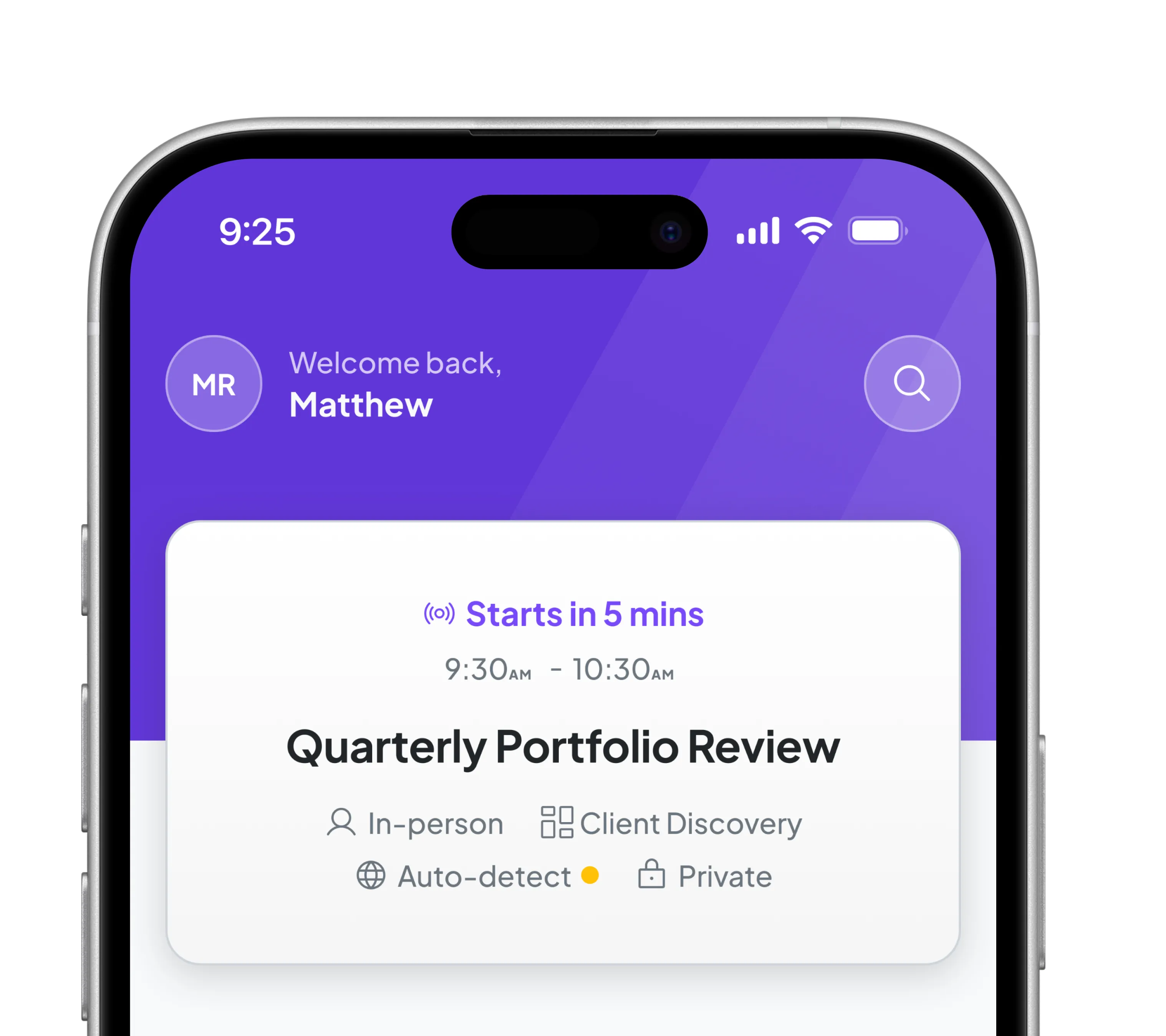
Clients can now book time with you directly through Zocks — no separate scheduling tool required. Scheduling brings client booking into the same place you already prepare for meetings, capture them, and follow up, so the whole interaction lives under one roof.

Share a branded booking page — personalized with name, photo and brand colors — and set up your own booking events, such as an Intro Call, Annual Review, or a quick Check-in. Clients choose a time that works, complete a short form, and the booking appears in your Scheduling menu, organized by status so you always know what's confirmed, what's waiting on you, and what's wrapped up. Virtual bookings include the meeting link automatically, in-person ones carry the location, and time zones are handled for you.
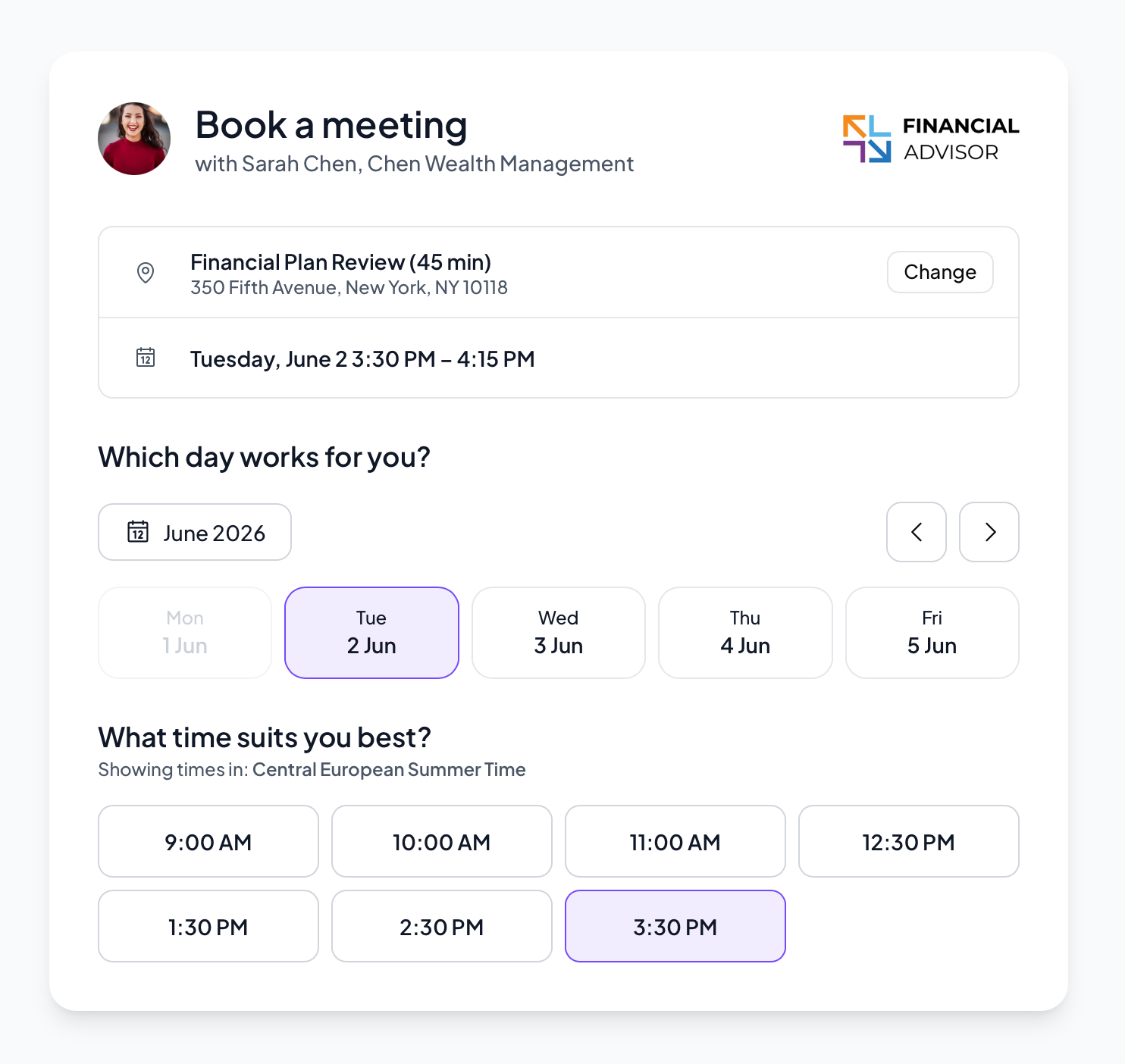
From there, managing bookings takes almost no effort. Clients can reschedule or cancel on their own, and Zocks automatically sends confirmations and reminders — fewer no-shows, less back-and-forth. Prefer more control? Turn on approval to review and confirm each request before it's booked.
Scheduling also supports collaboration, ensuring the right person is always involved. An assistant can create and manage bookings on an advisor’s behalf, while a junior advisor can handle rescheduling when the lead advisor is unavailable.
You can also schedule meetings manually in Zocks, just as you would in your calendar, without switching context.

What makes Zocks different: when a client mentions during a meeting that they'd like to reconnect later, the AI Assistant detects it and surfaces a suggested booking for you to review and send — turning a passing comment into a scheduled follow-up before it slips away.
Because Scheduling is built into Zocks, availability stays in sync with your connected calendar and every booking respects the compliance settings your firm already has in place — no separate vendor, no separate data trail.
Scheduling is available on the Ultimate plan. Set up your first booking event in the Scheduling menu. Full instructions are available in the Help Center.
SharePoint Integration: Bring Your Microsoft 365 Library into Zocks
Send meeting outputs to SharePoint and pull client documents back into Zocks for processing.
If your documents live in SharePoint, Zocks now connects straight into it. Link your document libraries to Zocks contacts and save meeting prep, summaries, forms, and document summaries as PDFs to the right library in a single click.

Available on all plans.
You can also pull documents from SharePoint into Zocks Document Intelligence, so your latest client files are ready to process and summarize without a manual upload in sight.

Document Intelligence is available on the Ultimate plan only.
Document Intelligence: Additional File Type Support
Process Word documents and spreadsheets directly. Extract data from draft notes, client intake forms, or any table-format export from external systems — no conversion or reformatting needed. The broader format support means you can pull information from files the way your clients and team actually send them.
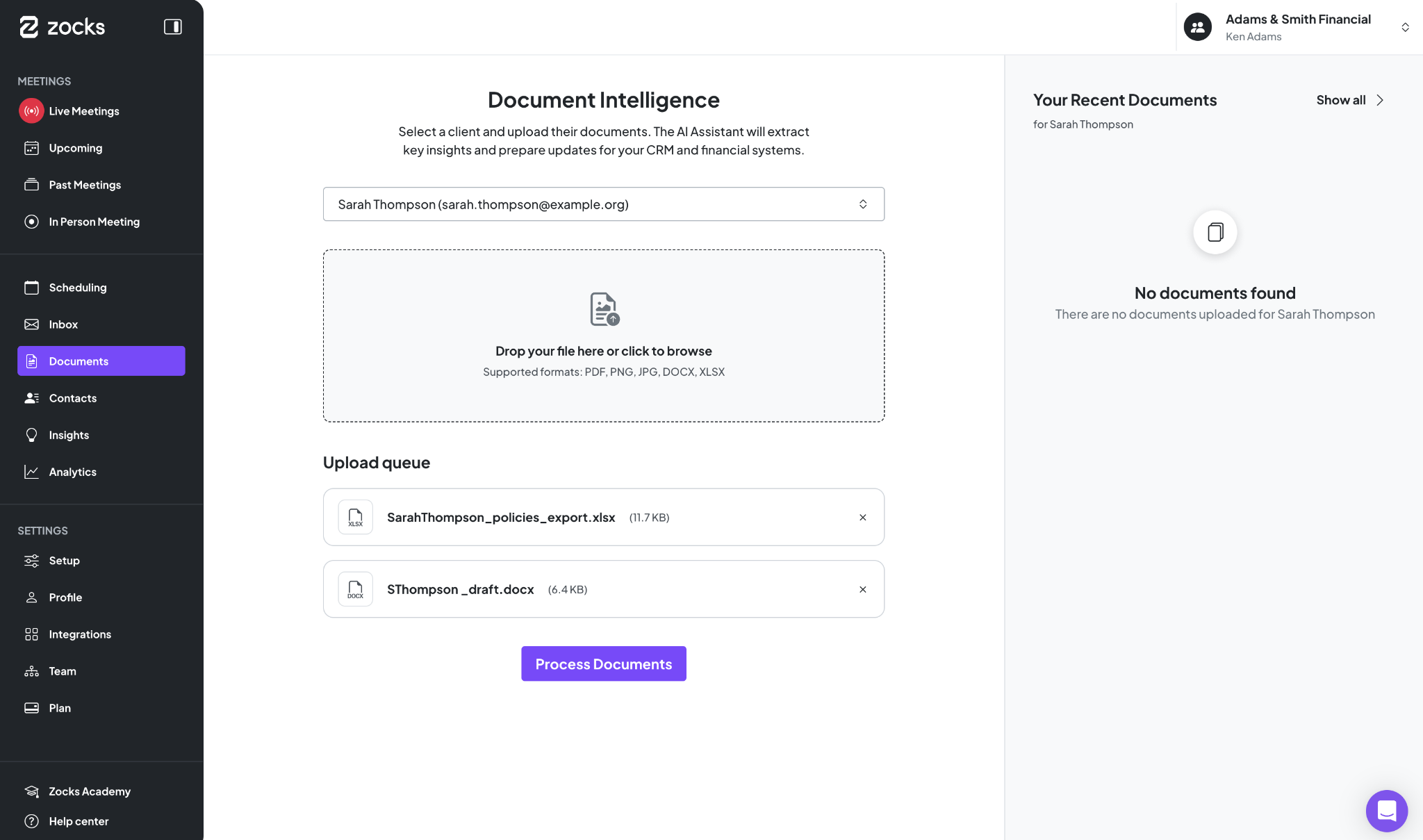
Available on the Ultimate plan only.
Create New Contacts in AdvisorEngine
Turn any meeting, email, or document into a new AdvisorEngine contact — no manual entry required.
Contact creation is now available for AdvisorEngine. When you meet a prospect or take on a new client, you can create their AdvisorEngine contact straight from a meeting, email, or document, so onboarding and prospecting start with a record that's already filled in.

Learn how to create new contacts in any of your connected systems
Creating contacts from meetings is available on all plans; from emails and documents, it’s Ultimate only.
Usage Analytics
Following our recent Document Intelligence updates, we've added usage analytics so admins and owners can get a clearer picture of how the feature is being used across their organization.
See who's uploading what, when it's happening, and what types of documents are flowing through the system, including whether they're default or custom document types. It's everything you need to understand adoption, spot trends, and make sure your team is getting the most out of Document Intelligence.
Available on Ultimate & Enterprise plans. Visible to admins and owners.

Data scheduled for Deletion: A Heads-Up Before It's Gone
You can now receive a warning before meeting data reaches the end of its retention period, giving you time to save anything worth keeping.
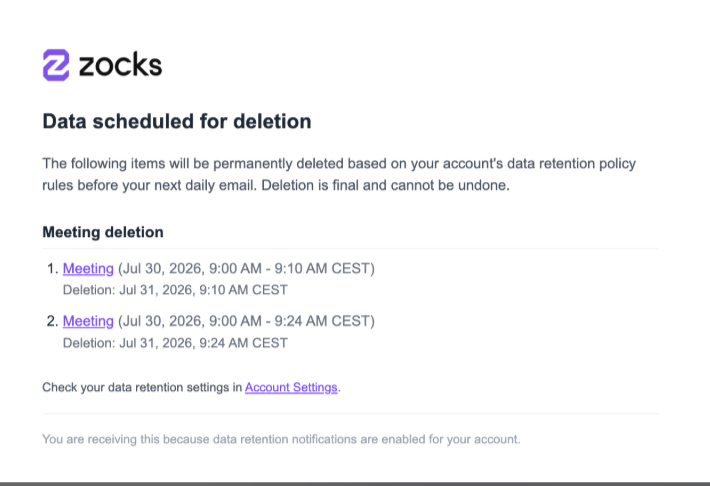
The setting and recipients can be managed in Settings → Email notifications → Data Retention. A short digest lists the meetings and transcripts scheduled for deletion and arrives at 9:00 AM in your local time zone. The delivery cadence follows your retention policy: daily for periods under one week, and daily or weekly for longer periods. Retention policies shorter than 24 hours are not supported.
The account Owner always receives the digest, and additional teammates can be included. Private meetings are never shown to anyone who does not have access.
Available on all plans.
Related blogs
.avif)
Get started for free in less than 10 minutes