.svg)

September 2026 Product Update
Coaching insights, document storage integration, SMS reminders, & more - see what's new in Zocks!

.avif)
From client analysis to appointment reminders, September brought something new to nearly every part of Zocks. We shipped Coaching Insights, so managers can see who needs support and what to work on. There are three new document storage integrations, and Scheduling now has SMS reminders, a firm-wide booking page and more.
Major additions and key updates for September:
- Coaching Insights
- Scheduling: Firm-Level Booking, Booking Page Embed, SMS Reminders, plus Redtail and Exchange Calendar Support
- New Document Management Integrations: OneDrive, Google Drive, and Egnyte
- Document Intelligence: Large File Uploads and Protected PDFs
- Salesforce Calendar Integration
- Exchange Mail Integration
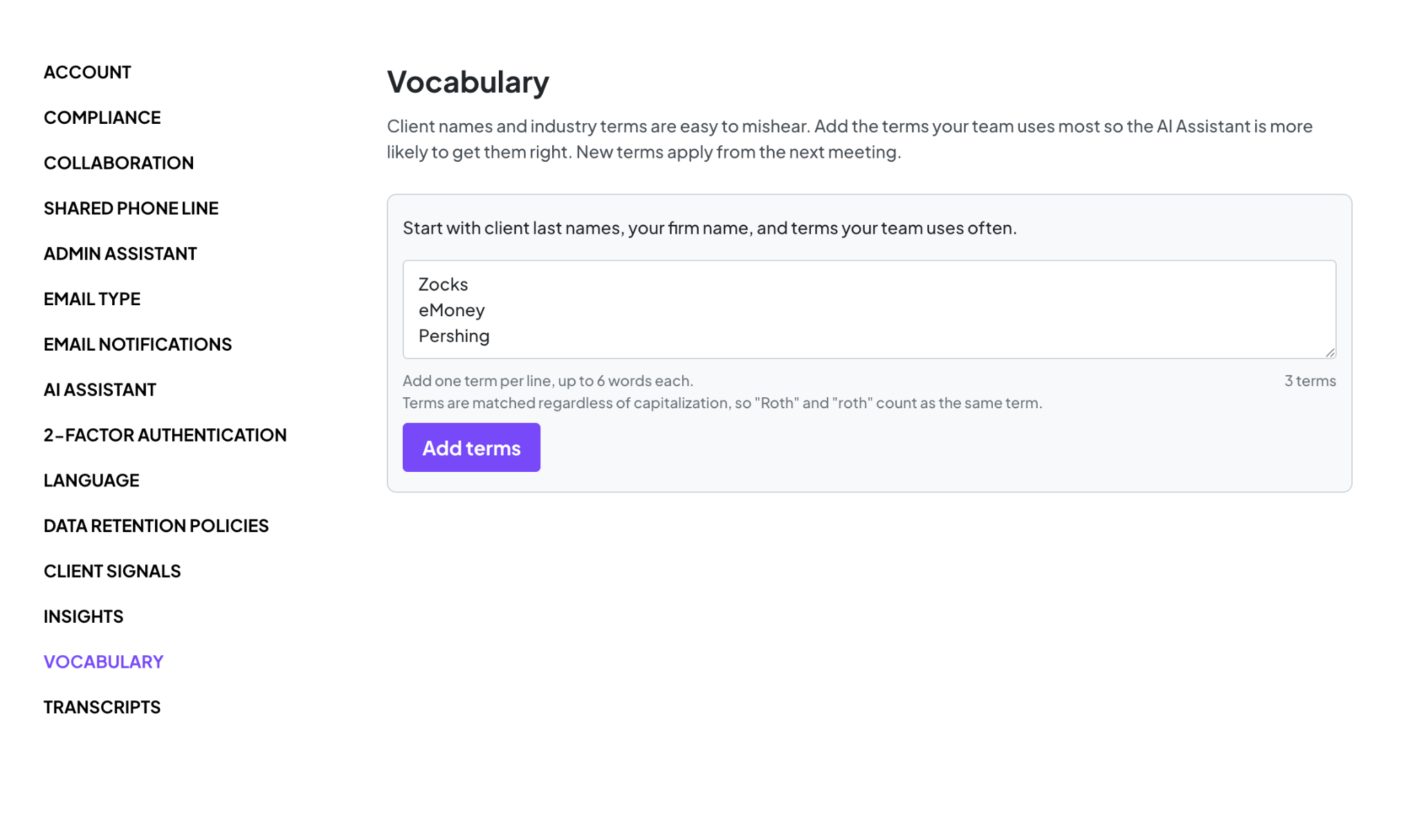
- Account-Specific Vocabulary
Coaching Insights
Know who needs coaching, and exactly what to coach on.
Zocks has always provided a scorecard for individual meetings and pointed out areas to improve in. But if you manage a team, there was no way to easily see across the group for who needs support and what areas work on. Coaching Insights changes that:
- Spend your coaching time where it counts: The new Coaching tab in Insights shows everyone's average meeting score next to the benchmark. You can see right away who's scoring below it, whose scores are starting to slip, and who's doing well. You no longer have to guess or wait for a quarterly review to spot it.
- Catch dips before they become habits: Each person's score history shows how they've trended over the last 90 days, 6 months, or a year. You can spot a drop early, while a quick conversation can still turn it around.
- Coaching conversations based on real meetings: For each user, Coaching Insights ranks what's impacting their score, such as client engagement or time management, and adds a practical tip for each. It also points to the meetings where each issue came up, so feedback is based on real examples, not general impressions.
- Everyone gets their own view: Coaching isn't only for managers. Go to Profile → Meeting Score to see your own average score, how it's changed over time, and your top areas to improve. It's an easy way to keep improving, meeting by meeting.
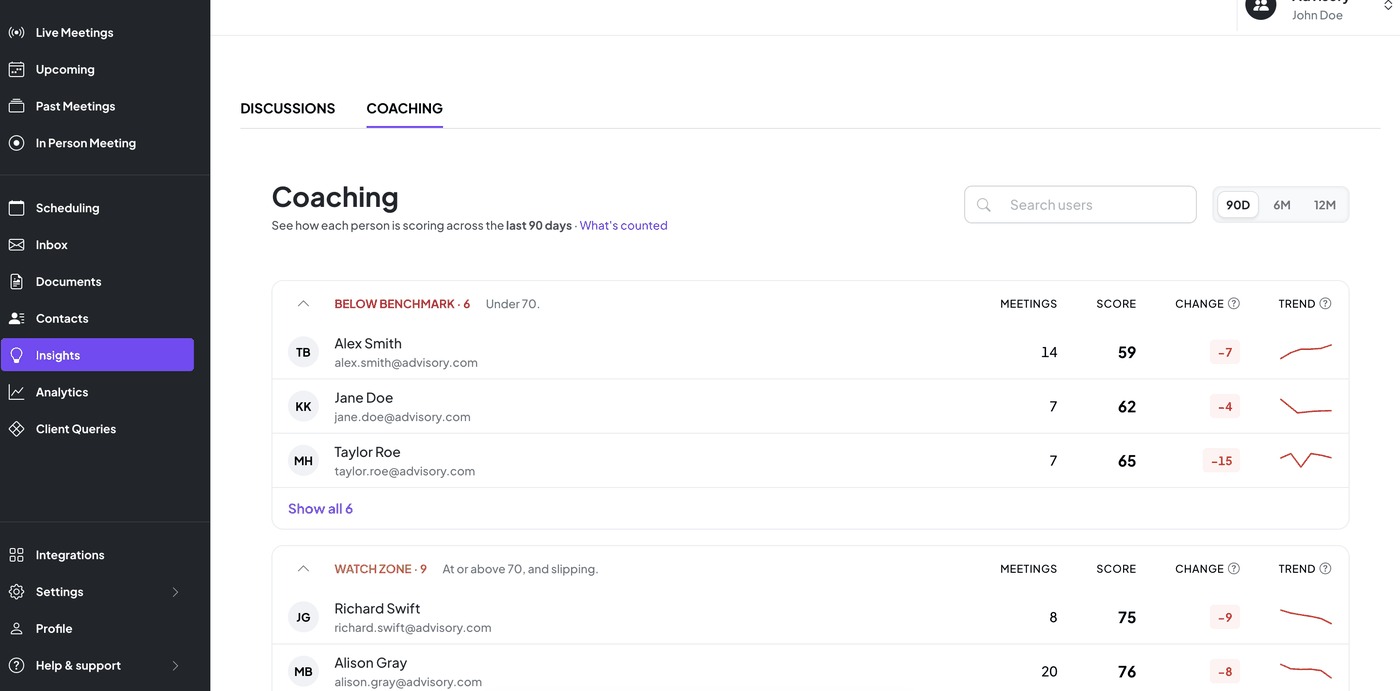
Admins and Owners can see Coaching Insights for the whole team. Everyone else sees only their own.
Available on the Professional plan and above.
Scheduling: Firm-Level Booking, Booking Page Embed, SMS Reminders, and New Calendar Support
We’ve added enhancements to Zocks Scheduling to support more ways for clients to book, and fewer no-shows.
Firm-level booking page
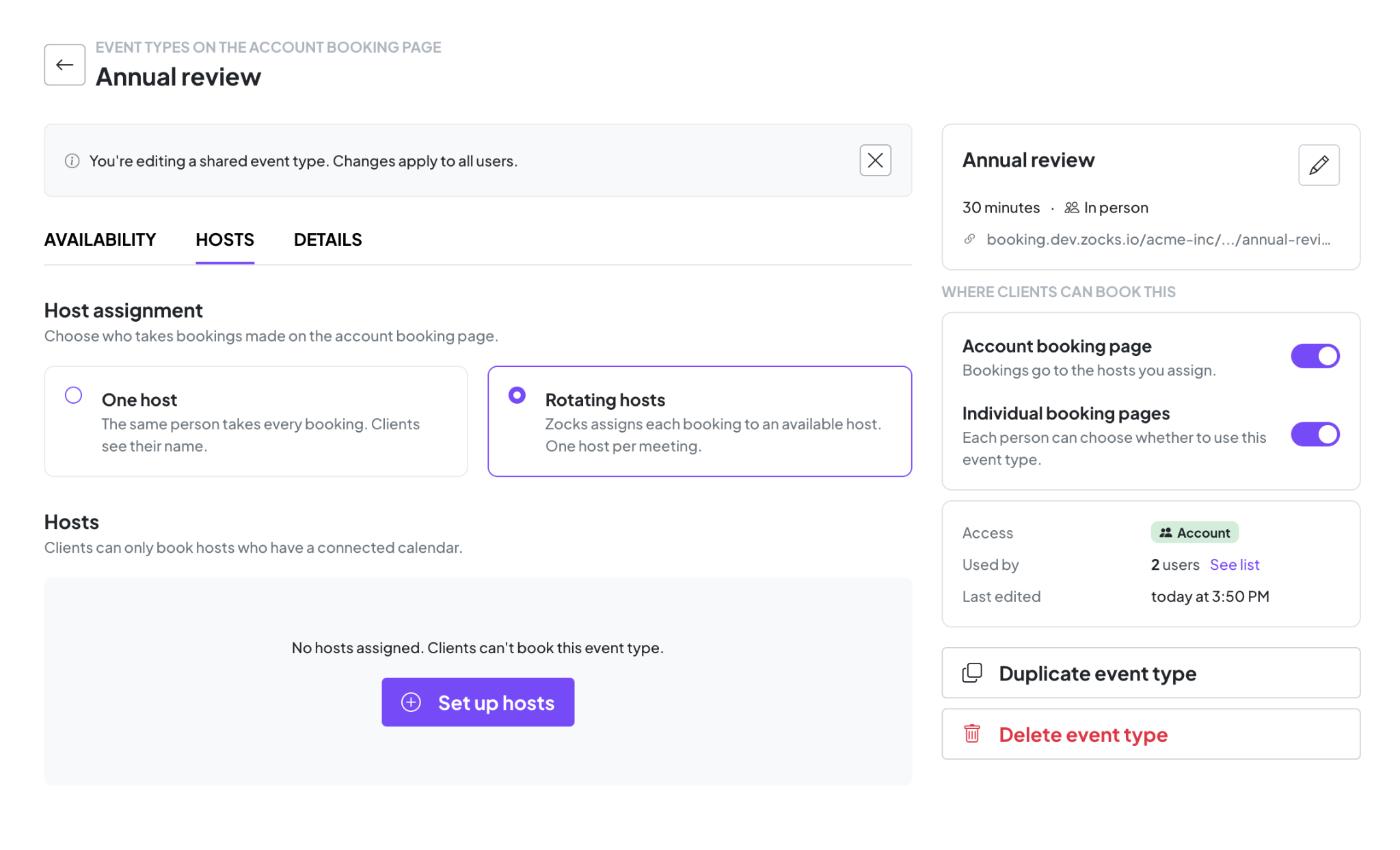
New leads don’t always have an advisor yet, and they shouldn’t have to wait for one. Share a single, firm-branded booking link from Scheduling, and clients pick a time that works for them without choosing a specific advisor. Admins set up the pool for each event type, so inbound leads from outreach, your website, or landing pages go straight to someone who can take the meeting.
Booking page embed
Embed your booking page from Scheduling on your website or landing pages, so visitors can book a meeting without ever leaving your brand.
SMS booking reminders
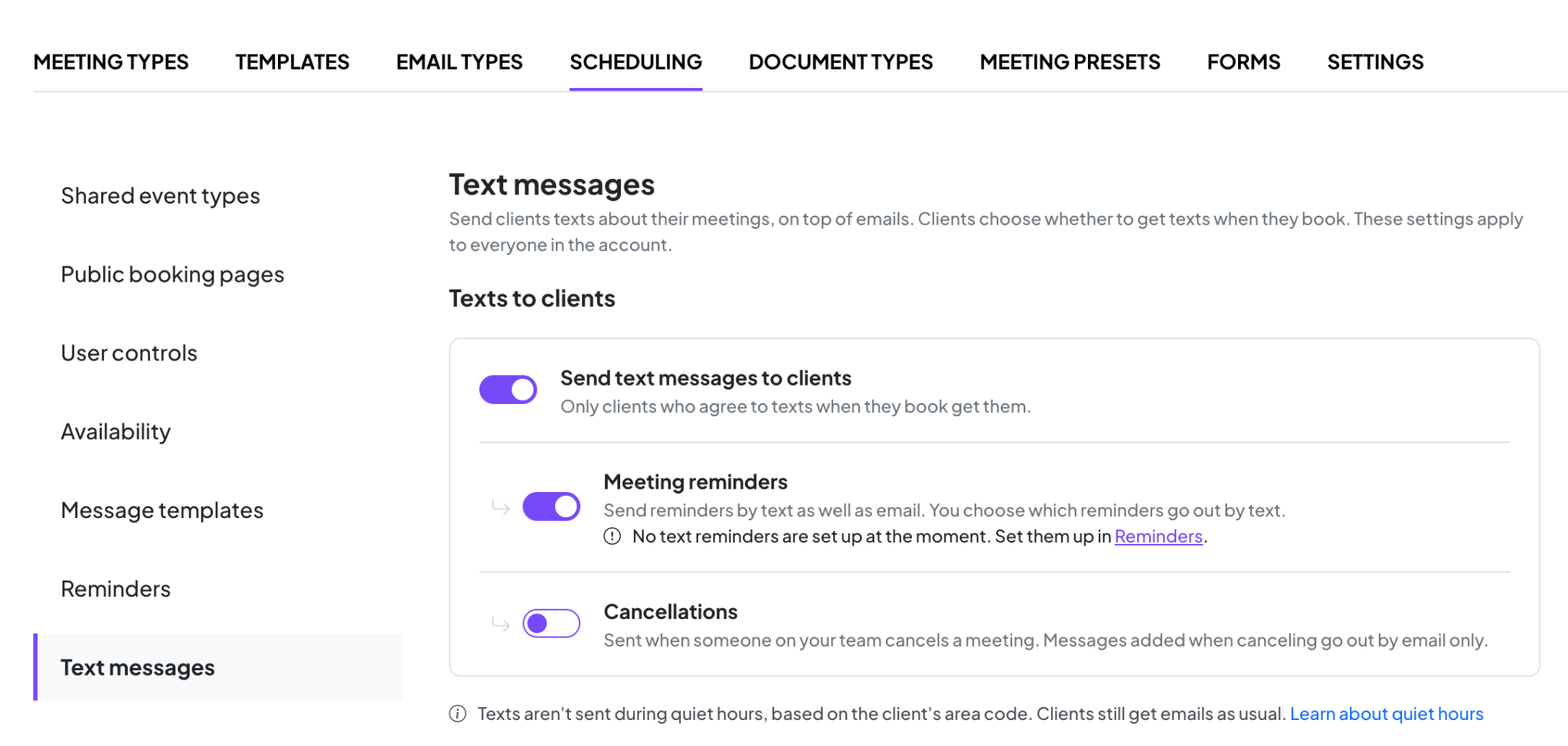
Text messages get seen. Zocks now sends automated SMS reminders ahead of scheduled meetings, alongside the email reminders we launched in August. Clients also get a text when a meeting is canceled, so everyone stays on the same page and fewer meetings end in a no-show.
Redtail and Microsoft Exchange (on-premises) calendar support
Alongside Outlook and Google, Scheduling now supports Redtail and Microsoft Exchange (on-premises) calendars. Firms on Redtail or Exchange can connect their calendar and have Zocks check their availability and create booked events in it automatically.
Available on the Ultimate plan.
New Document Management Integrations: OneDrive, Google Drive, and Egnyte
Your files, connected to the clients they belong to.
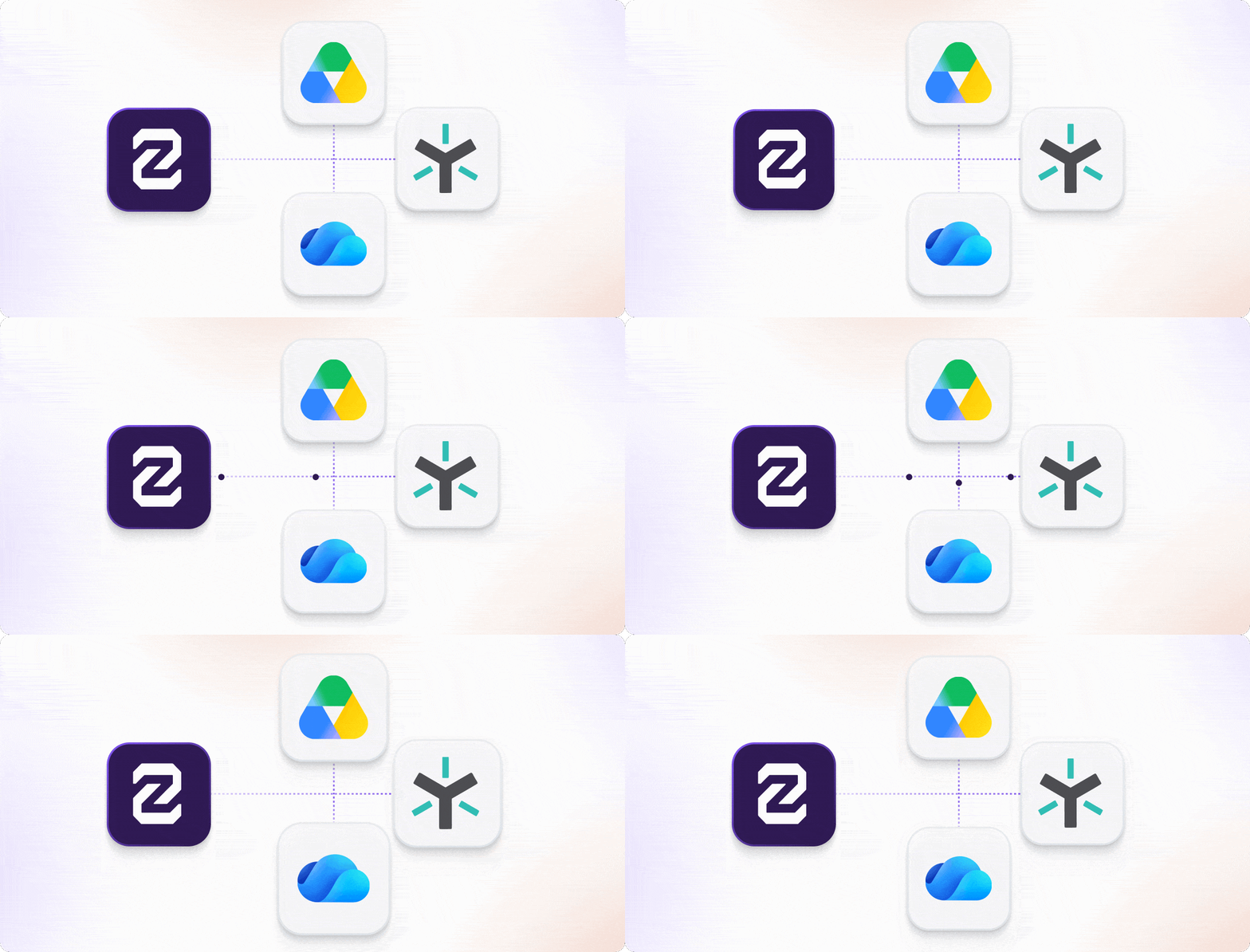
Zocks now connects to OneDrive, Google Drive, and Egnyte alongside SharePoint and Box. Wherever your firm keeps client documents, you can reach them from your Zocks workflow.
Link each client's folder to their Zocks contact once, and Zocks remembers it from then on:
- Save straight to the client's folder: Meeting summaries, meeting prep, forms, and document summaries go into the right folder with a click.
- Import documents for processing: Pull statements and intake forms from the client's folder into Document Intelligence without downloading them first. You can select several documents at once.
The client file stays complete, and nothing has to pass through your desktop on the way.
To connect, go to Integrations → Document Management.
Saving to client folders is available on all plans. Importing into Document Intelligence is available on the Ultimate plan.
Document Intelligence: Large File Upload and Protected PDFs
Upload bigger files and protected PDFs without the workarounds.
Two updates remove friction from getting documents into Document Intelligence. The file size limit has increased from 20MB to 120MB, and password-protected PDFs no longer need to be unlocked and re-saved on your desktop first.
Available on the Ultimate plan.
Salesforce Calendar Integration
Your upcoming meetings, straight from Salesforce.
If Salesforce is your primary calendar, Zocks now pulls your upcoming meetings directly from it. The meetings you schedule in Salesforce show up in Zocks without a separate calendar connection, ready for meeting prep.
Available on all plans.
New Email Integration: Exchange Mail
Zocks now connects with Exchange Mail, bringing your email conversations into the context you need.
Available on all plans.
Account-Specific Vocabulary
Teach Zocks your firm's language once, and stop correcting the same words every time.
Firm-specific words, unique spellings, acronyms and industry terminology are exactly the words that matter most, and the ones most often mistranscribed. Now you can keep a list of your firm's names, terms, and lingo in Zocks.
Zocks uses that list automatically every time it transcribes a meeting, so your terms come out right the first time. That means more accurate transcripts, summaries, and meeting preps, with less cleanup afterwards.
Available on the Professional plan and above.
Available on the Professional plan and above.
Related blogs
.avif)
Get started for free in less than 10 minutes