.svg)

October 2026 Product Update
Schwab Account Opening, Collaborative Booking, smarter Meeting Prep, mobile Document Intelligence, and more. See what's new in Zocks!

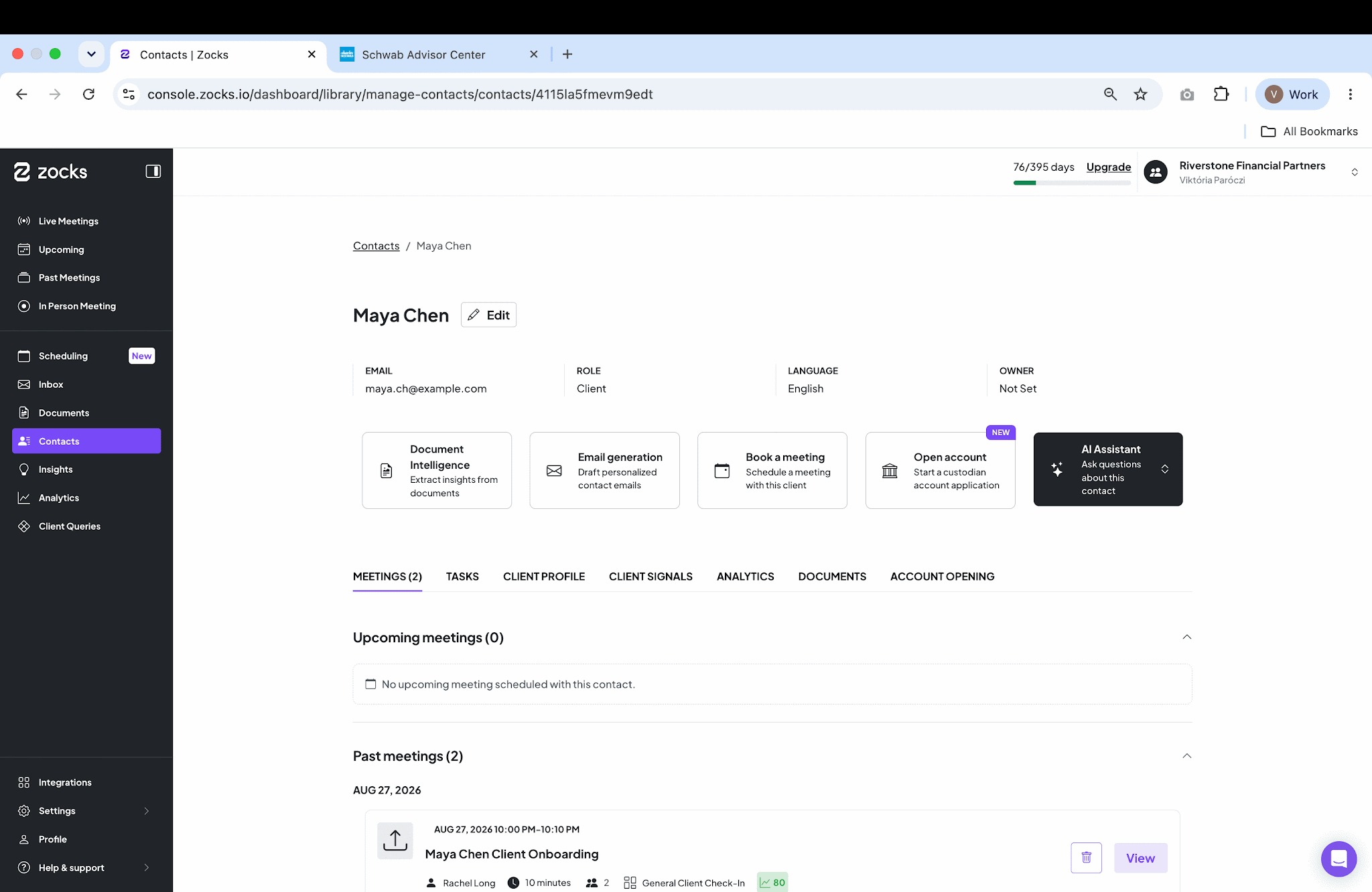
October’s biggest news is Zocks Account Opening, starting with Schwab. Zocks takes what your client has already shared in meetings and your connected systems, fills out the account application, and catches errors before you submit, so there’s less back-and-forth for you and your client.
We also shipped our biggest Scheduling update yet. With Collaborative booking, one link books a meeting with your whole team, and clients only see times when everyone is free. Plus, you can now see what clients are likely to ask, right in Meeting Prep, and there’s much more below.
Major additions and key updates for October:
- Schwab Advisor Services™ integration and Zocks Account Opening
- Our Biggest Scheduling Update Yet: Collaborative Booking, Email Templates, New Scheduling Roles, and SMS Area Code Selection
- See what your clients are likely to ask, right in Meeting Prep
- Document Intelligence on the go, and answers across whole batches of documents
- Teams calls now in Zocks, plus more granular compliance controls for Zoom
- And more: Client Signals in MCP, Wealthbox and Redtail workflows, and the firm-wide Insights Digest
Schwab Advisor Services™ integration and Zocks Account Opening
Open Schwab accounts from what your client already told you, and have your clients’ Schwab data in front of you in every meeting, without logging in to Schwab Advisor Center®.
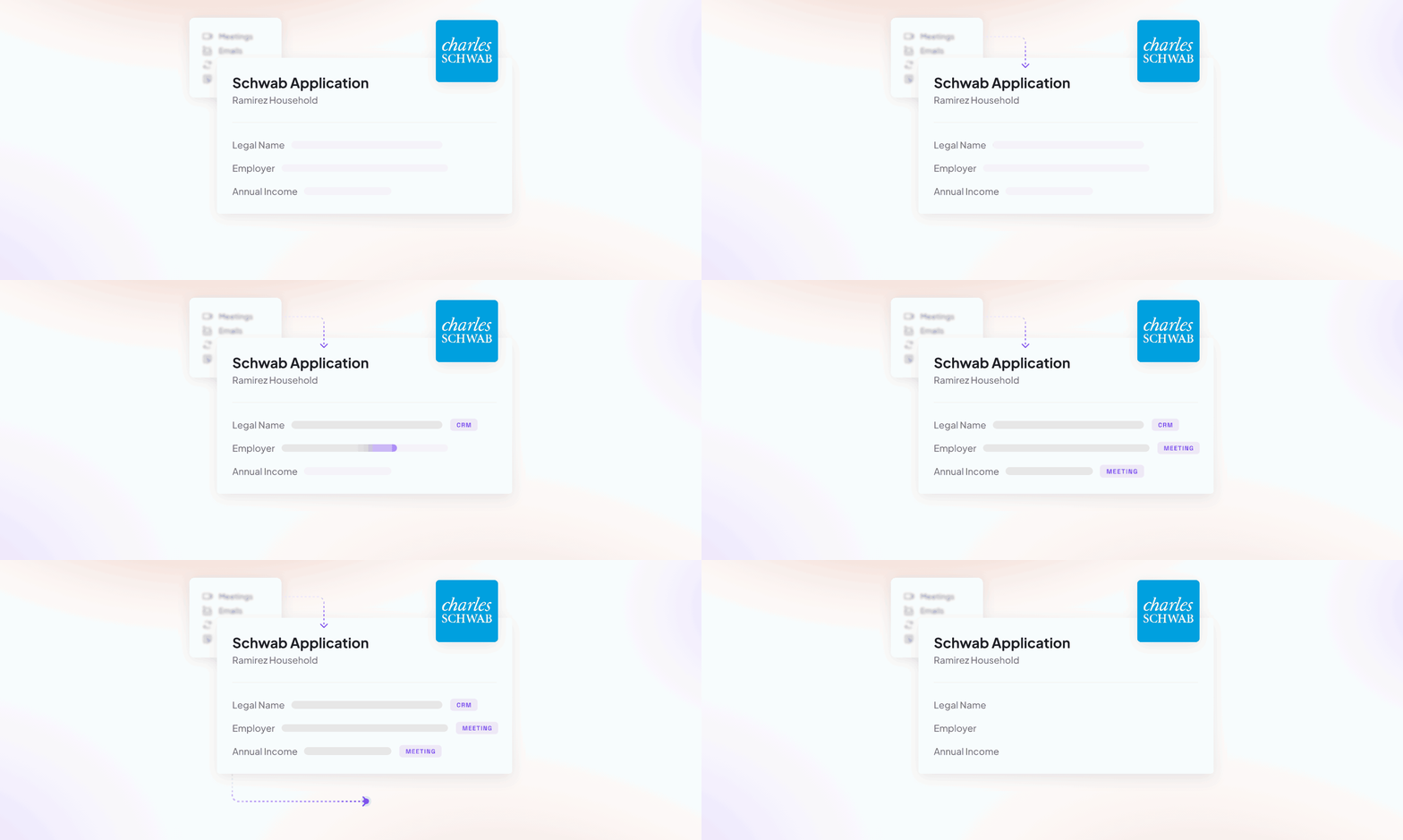
Open Schwab accounts, prefilled and validated before submission
From November 2, Schwab requires digital onboarding or Docusign for all eligible new accounts, and Zocks Account Opening is built on Schwab’s digital onboarding workflow. It fills out the Schwab application from your meetings, emails, CRM and planning tools, and Schwab validates it before you send it, so errors are fixed before your client signs. Start from the Account Opening tab on a client’s contact, for new clients or new accounts for existing Schwab clients. Learn more →
Available on the Ultimate plan.
Your clients’ Schwab data, across your meeting workflow
Zocks pulls your clients’ current Schwab balances, positions, cost basis and gains into Meeting Prep, Ask Anything and forms. Ask “What are the Ramirez family’s unrealized gains at Schwab?” and get the answer without logging in to Schwab Advisor Center. Learn more →
Available on all plans.
Our Biggest Scheduling Update Yet: Collaborative Booking, Email Templates, New Scheduling Roles, and SMS Area Code Selection
This month, Scheduling got the features firms asked for most: team meetings booked with one link, emails tailored to your firm's communication style, and less setup for advisors.

Collaborative Booking
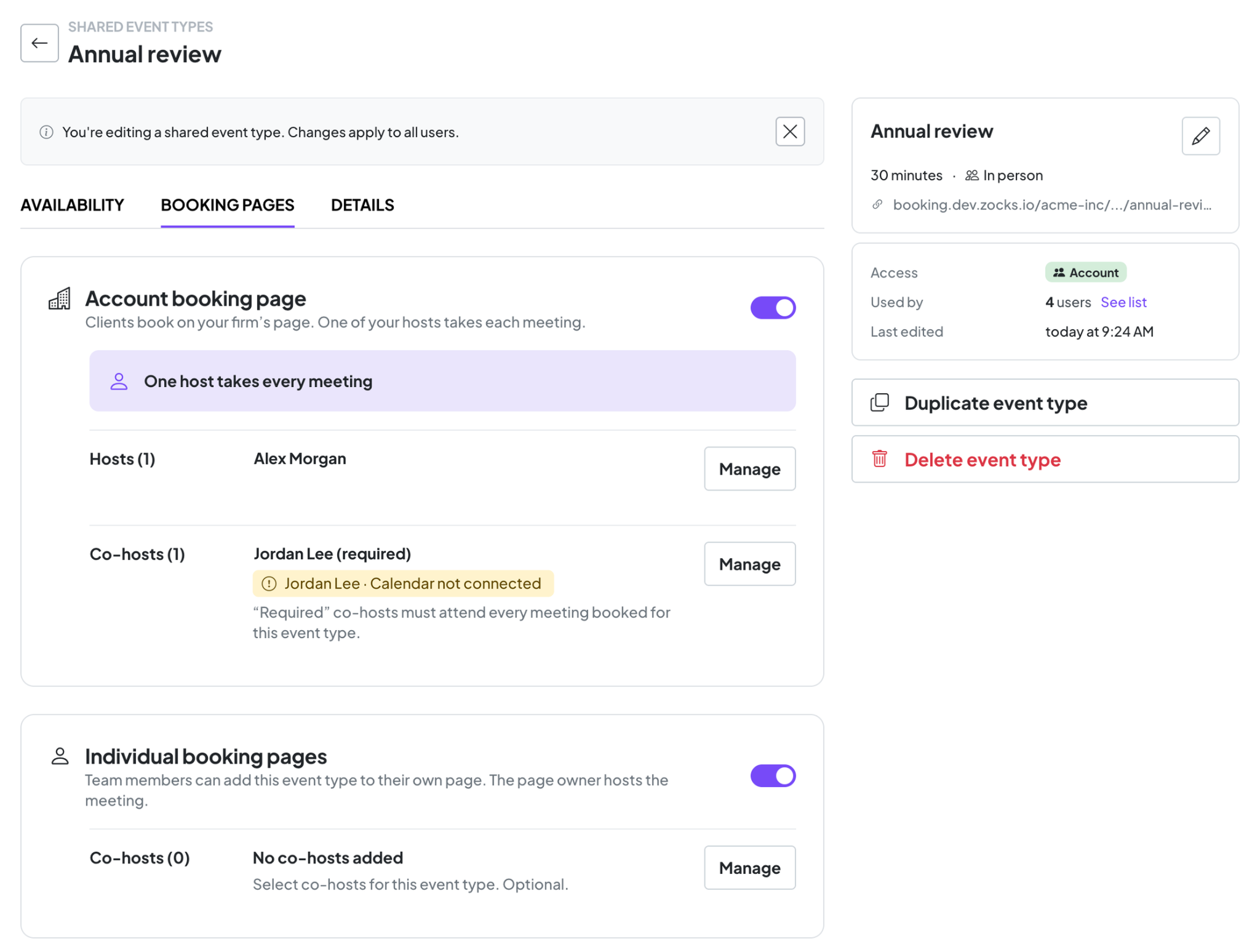
Some meetings require multiple team members, whether it’s an advisor and their assistant or a specialist joining the conversation. Now, a single booking link coordinates everyone’s availability, showing clients only the times when all required participants are free.
Set each co-host as required, so their calendar counts toward availability, or optional, so they’re invited either way.
Works with Account booking pages too: Zocks rotates the meeting owner across your advisor pool, and co-hosts join whoever is picked. Learn more →
Scheduling email templates
Admins can now rewrite Scheduling emails in your firm's own words. Add placeholders and links, and write different copy for each reminder, while meeting details and buttons stay in place.
New scheduling roles
We've introduced two dedicated Administrative Assistant roles that allow assistants to set up and manage Scheduling without involving an Owner or Administrator. One of these roles also includes permission to edit Scheduling email templates.
SMS area code selection
Clients are more likely to read a text from a number they recognize as local. Account admins can now pick the US area code that reminder texts are sent from, right in Scheduling settings
Available on the Ultimate plan.
See what your clients are likely to ask, right in Meeting Prep
Know what clients are likely to ask before the meeting starts.
Meeting Prep now shows the most common questions clients asked in the past 7 days, across all advisors at your firm. Similar questions are grouped into themes, and small talk and one-off questions are left out, so you only see what matters.
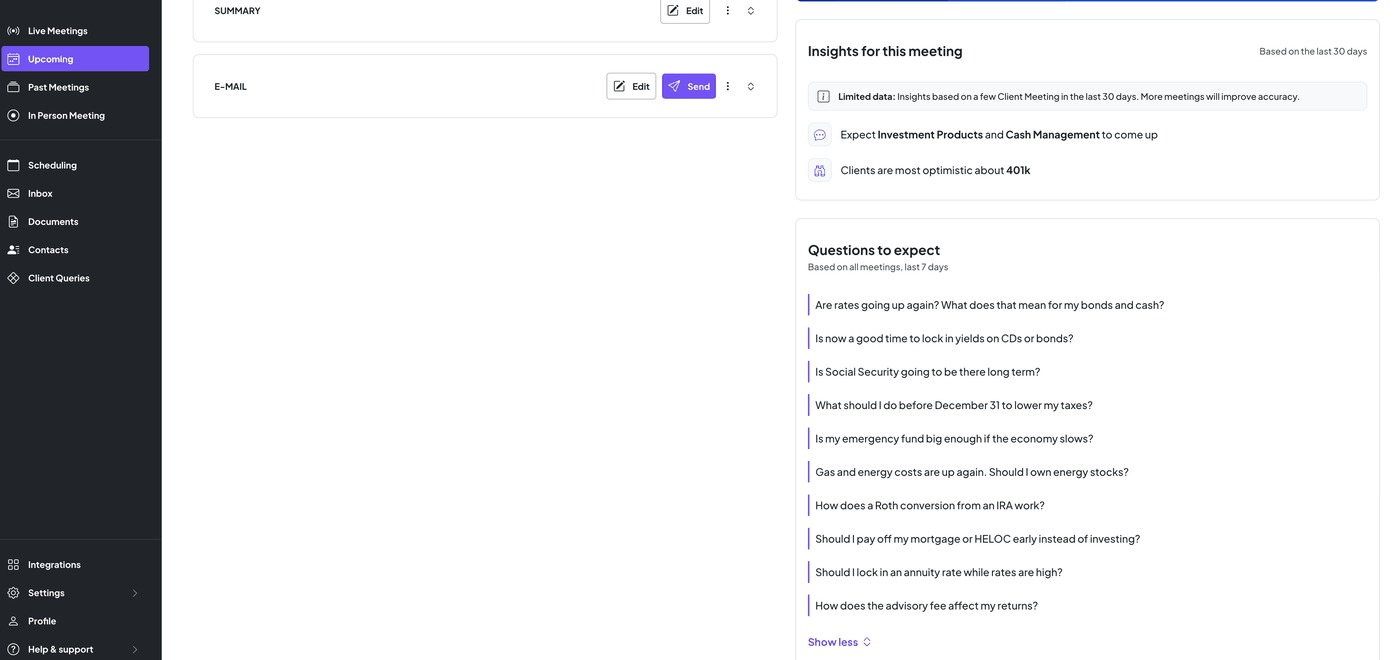
Prepare your answers ahead of time, learn from what clients are asking every advisor at your firm, and spot new concerns, like a market move or rule change, as soon as clients start asking.
Available on Professional and Ultimate plans, for client meetings.
Document Intelligence on Mobile
Process client documents wherever you are, even straight from paper.
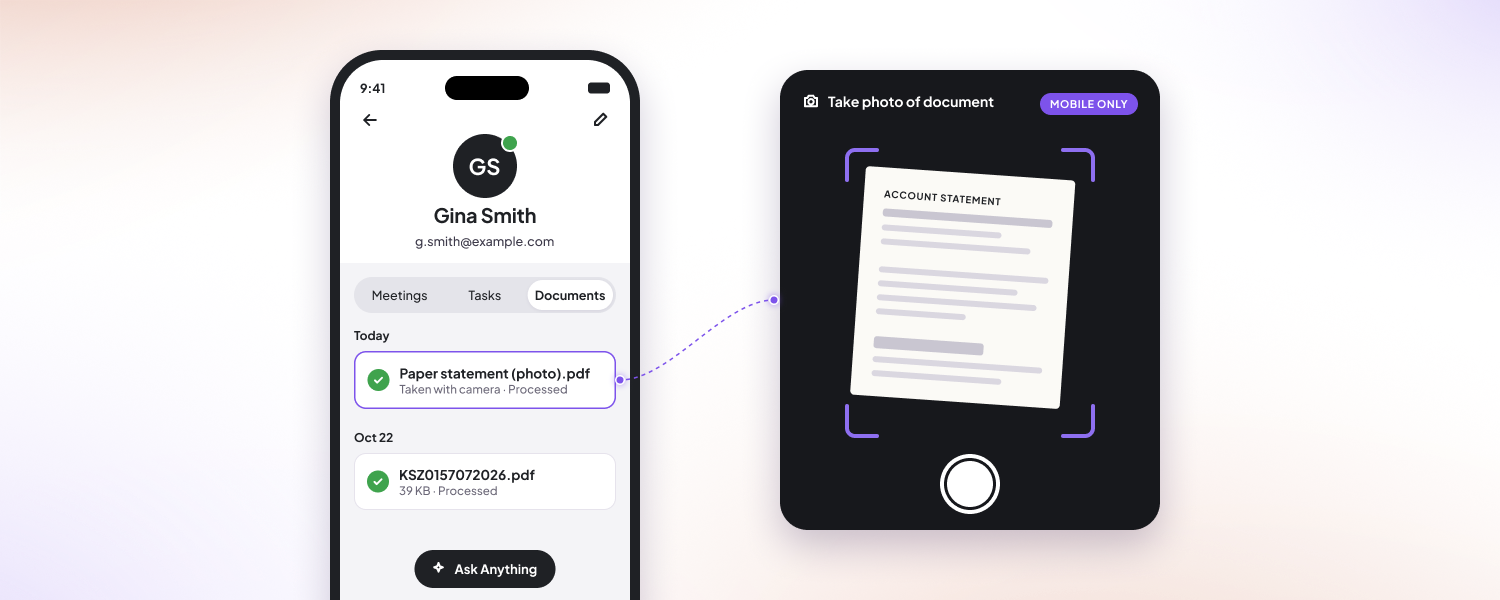
Take a photo of a document. Snap a picture of a paper document and send it straight to Document Intelligence, at the office or at the client's kitchen table.
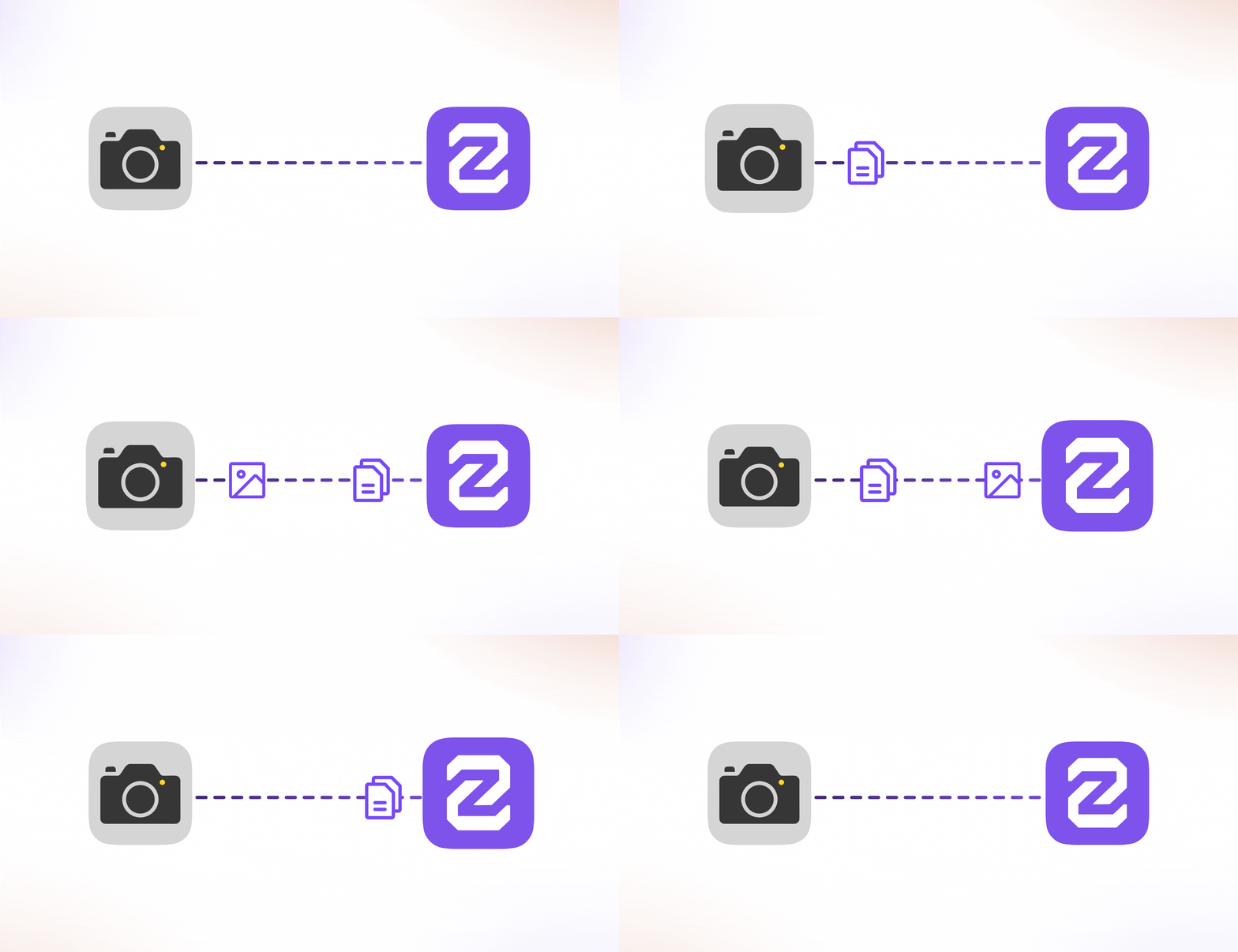
You can also upload items from Photos, Files or Scanned documents. Zocks identifies the document type and summarizes the key details, so you no longer have to wait until you're back at your desk.
Available on the Ultimate plan.
Document Intelligence - Analyze an Entire Folder of Client Documents
Upload multiple client documents at once and ask questions across all of them in a single conversation. Compare information, identify discrepancies, or uncover trends across files. The AI Assistant draws insights from all uploaded documents, giving you the full picture without having to review each file individually.
Available on the Ultimate plan.
Microsoft Teams Calls Integration
Your Teams phone calls, now in Zocks.
Zocks now covers Teams phone calls, 1:1 calls and group calls you start, not just scheduled Teams meetings. Capture the call in Teams, and Zocks turns it into a transcript, summary, tasks and CRM updates within minutes. Learn more.
Available on all plans.
Client Signals available for MCP
Zocks already picks up life events from your meetings, like job changes, retirements, marriages, births, referrals, property sales and inheritances. Now Claude, ChatGPT, Copilot or your own AI agents can access these signals too, through the Zocks MCP.
Try asking: “Did Sarah refer anyone to us? If so, who, when, and what did she say about them? Draft a short thank-you note to Sarah.” Or ask for last month’s job change and retirement signals, each with a link to the meeting where it came up.

Keep Wealthbox and Redtail workflows moving after every meeting
Starting and updating your CRM workflows in Zocks just got easier.
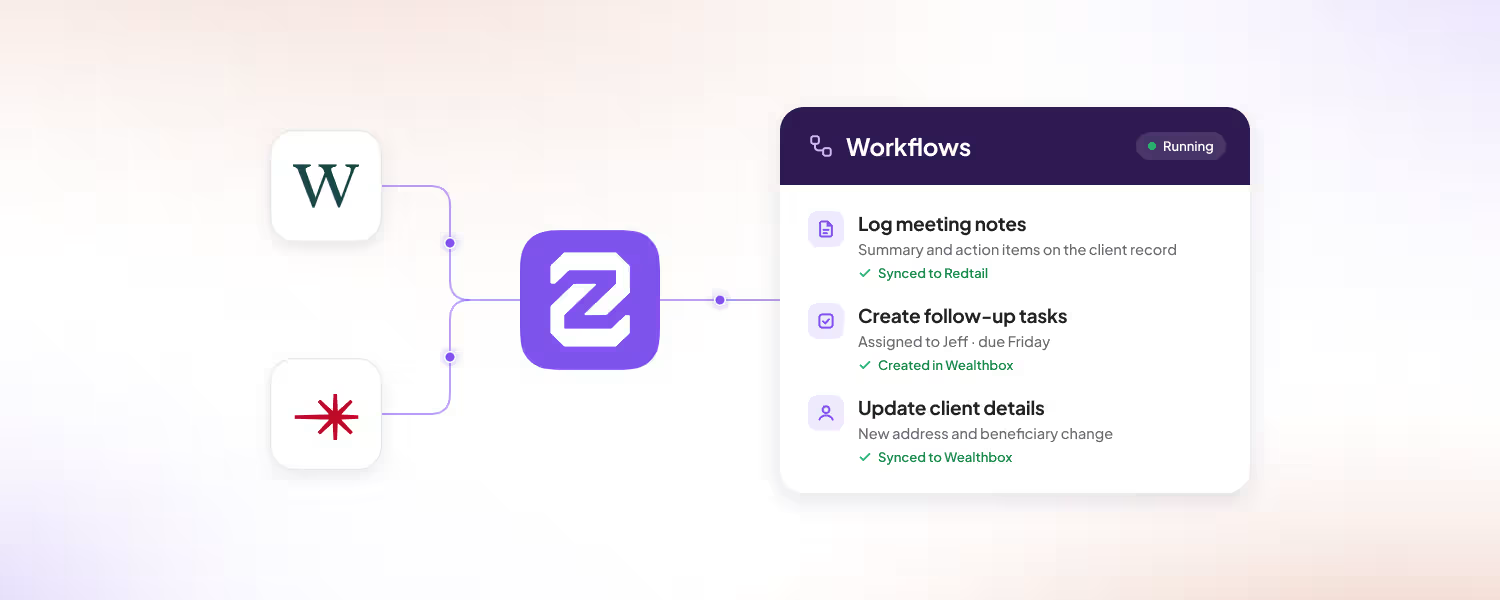
Every client meeting tends to kick off a workflow or move one forward, and keeping that up to date in your CRM is easy to put off. With the improved workflow experience in Zocks, you can start the workflows a meeting calls for and update the ones already running, right after the meeting. Zocks prefills the details from the conversation, so you just review and go. Your Wealthbox or Redtail workflows stay current, with no catch-up work at the end of the day.
Available on all plans.
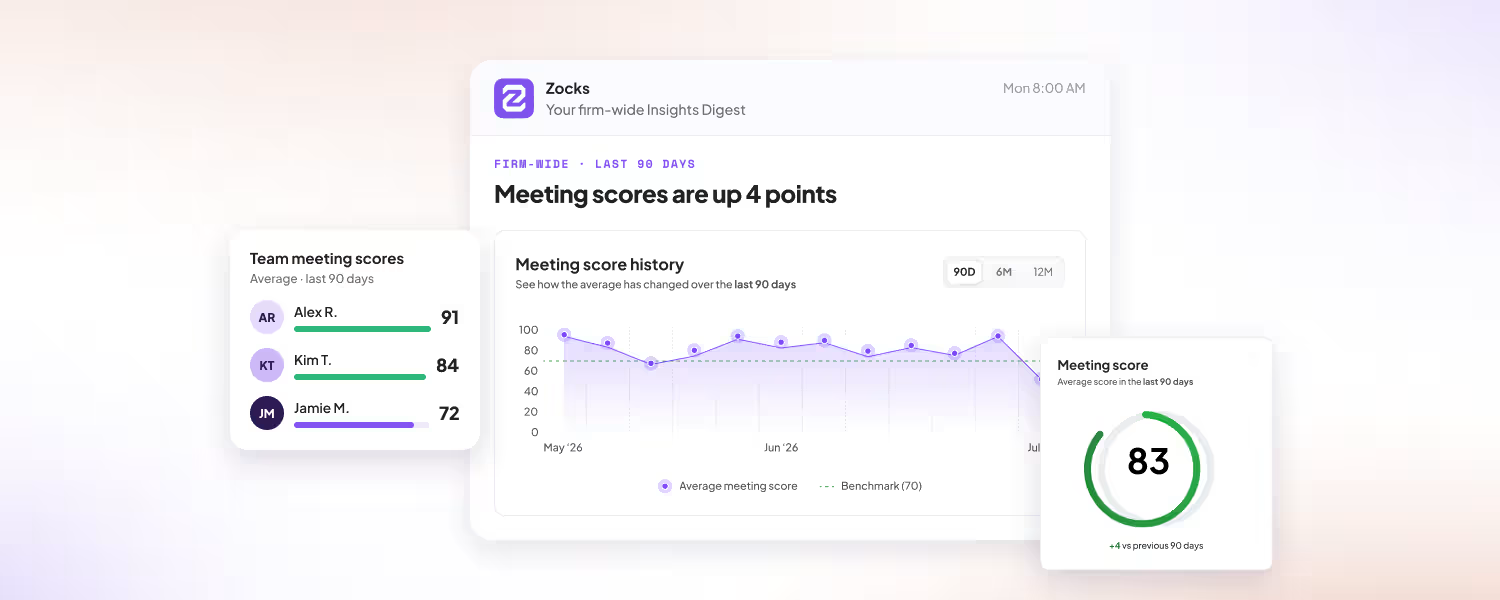
Firm-wide Insights Digest email
Your firm’s key Insights highlights, delivered to your inbox.
See what clients are talking about and where the opportunities are, without logging into Zocks. The digest is on by default and arrives on Monday mornings, weekly, biweekly or monthly. It’s only sent when there’s enough activity to report. You can change the frequency or turn it off on the Insights page.
Available on Professional and Ultimate plans for Owners & Admins.
More granularity in compliance controls for Zoom
The same compliance notice, delivered only once.
When several advisors invite Zocks to the same Zoom meeting, AI Notetakers with the same compliance audio and message now deliver that notice only once. Notetakers with different compliance settings still each deliver their own.
Related blogs
.avif)
.avif)
Get started for free in less than 10 minutes