.svg)

March 2026 Product Update
Zocks MCP connects your AI tools to conversations, plus new Conversation Insights to uncover trends.

We’re back with the March product update. With this release we are launching Zocks MCP, the bridge that lets your AI tools work directly with your Zocks’ client conversations - so your AI can actually know your clients. We also introduced Conversation Insights, a new analytics layer that helps you more fully understand topics and trends across your book of business.
Major additions and key updates for March:
- Zocks MCP: Connect AI Tools to Your Client Intelligence
- Conversation Insights: Understand Your Book at a Glance
- Black Diamond Integration: Portfolio Context in Every Meeting
- Manage Meeting Participants With Full Flexibility
- Mobile App: Notes, Live Meeting Controls & Performance Improvements
- In-Meeting Guidance: Live Agenda
- Assistant Seat Meeting Tracking Is Changing – April 1st
Zocks MCP: Your AI Tools Now Know Your Clients
Register for our webinar and see what it looks like when your AI tools actually know your clients - April 8 at 2:00 PM.
AI tools like Claude and ChatGPT are powerful, but when you ask them about a client, they have no idea who that client is. What was discussed in your past meetings, what the client's goals are, what's changed over time. That's what MCP is here to change.
MCP works as a bridge between generic AI tools and Zocks. When Claude can access a specific client's meeting history, summaries, goals, and planning signals, it stops being a generic assistant and starts doing real analysis - producing personalized, client-specific deliverables that simply weren’t possible before.
What you can now do:
- Ask your AI tool to analyze a client’s tax return and past client conversations to surface tax insights and generate a personalized tax opportunity summary. Then turn the results into a client facing presentation for your next meeting
- Identify estate, retirement, or insurance planning signals raised across meetings that may warrant follow-up
- Review how a client's goals and priorities have evolved over time and summarize all their milestones and accomplishments in a personalized letter using your tone and style
- Create branded client deliverables - annual letters, presentations, client-facing summaries - right inside Claude, grounded in what the client actually said
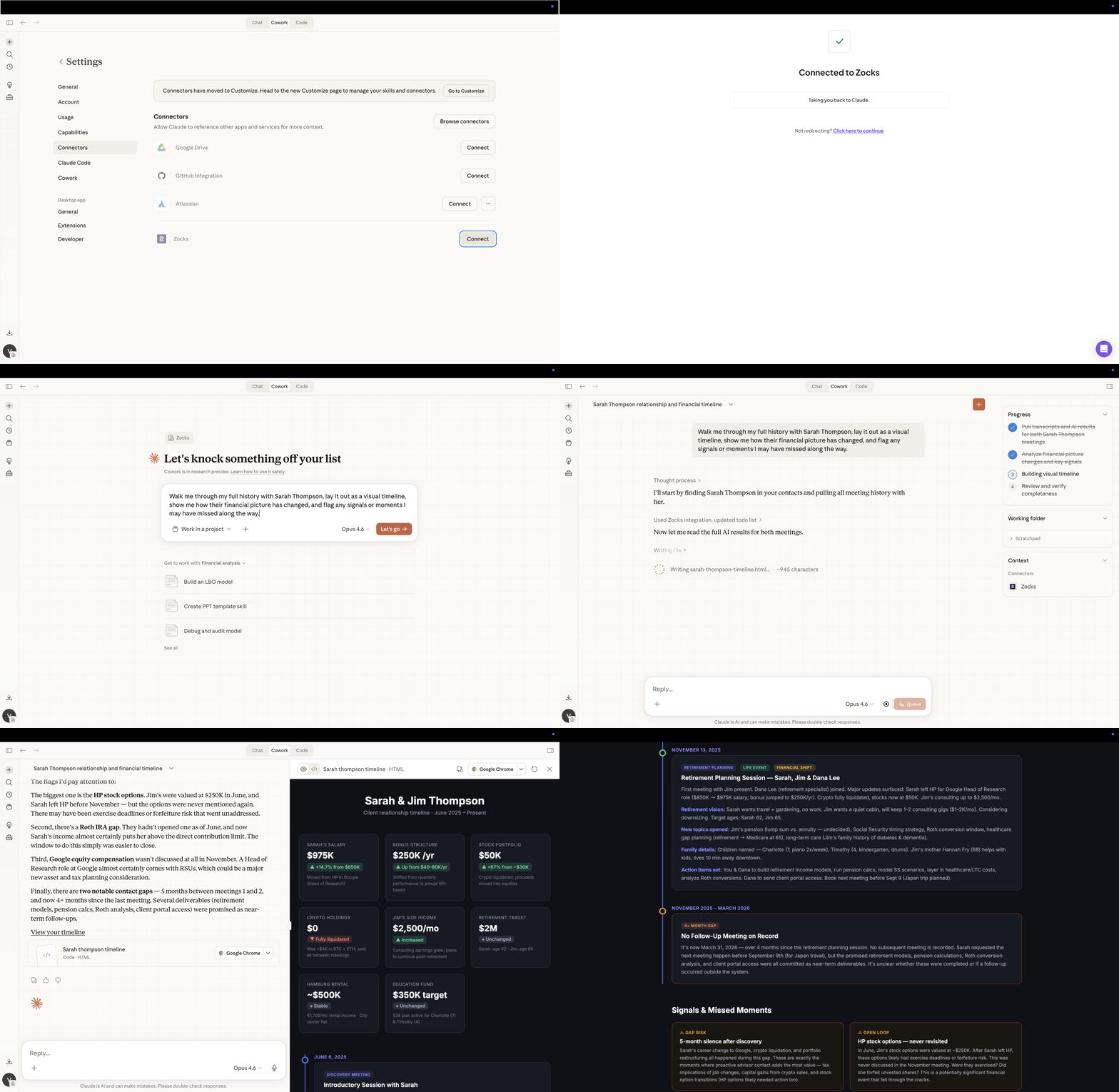
Learn more about Zocks MCP and how to connect it to your AI tool.
Conversation Insights: See What's Really Happening Across Your Book
Analytics in Zocks gives you a full picture of usage, meeting activity, and metrics - frequency, duration, sentiment, engagement trends, integration overview and more.
With this month's update we are now introducing Conversation Insights which goes a step further, telling you what was actually said, what clients are feeling, and where the opportunities are.
Conversation Insights enables you to track popular topics, how they change over time, and who brought up the topic. It will help spot growth opportunities, scale what works, and help build a high-performing team by showing how advisors interact with clients and which topics generate the most client questions.
Conversation Insights includes:
- A key takeaway section at the top of the page to offer a quick overview
- Detailed supporting data where you can dig deeper into a topic
- Filtering by Advisor (default view is All Advisors) and by date
Included are 17 pre-defined topics that Zocks monitors across all meetings, but you can add up to 5 custom topics if you are interested in anything beyond the default topics. This customization is available at the enterprise level as well.
The default topics include:
- Market Impacts
- Legislative Changes
- Elections
- Business Ownership
- Financial Goals
- Family Legacy or Estate Planning
- Tax Planning
- Diversification
- Investment Products
- Risk Management
- Long-Term Care
- Social Security
- Competitor Services
- Life Insurance
- Compliance
- Personal
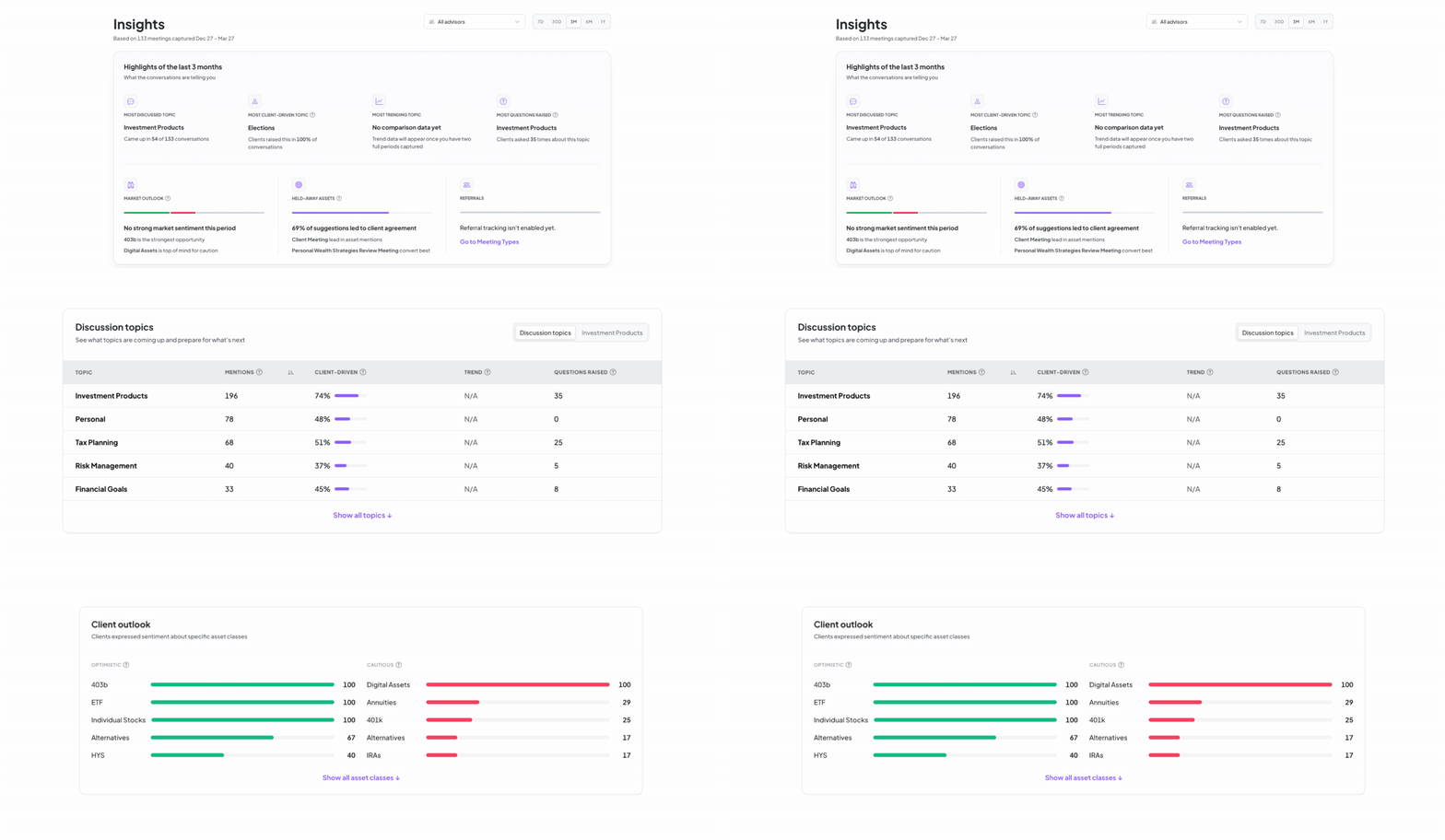
Just like Analytics, it is available from Professional plan and above for Admins & Owners.

Black Diamond Integration: Portfolio Context in Every Meeting
Zocks now integrates with Black Diamond Wealth Management, bringing portfolio context directly into your advisory workflow.
With Black Diamond connected, meeting prep surfaces holdings, performance, and account details automatically - no switching systems. Walk into every client meeting with full context on assets under management, and portfolio positioning and more, all without manual preparation.
The integration also supports ‘Ask Anything, email replies, form fill, and contact creation and updates, which keeps client records in sync across Zocks and Black Diamond.
Edit Meeting Participants: Full Flexibility, Before and After the Meeting
You can now add meeting participants at any stage - before, during, or after a meeting. This means a silent client, a trust owner who didn't attend, or a team member who joined last minute will all be correctly tied to the meeting records, so your CRM updates and meeting notes reflect the full picture.
When adding someone to a completed meeting, Zocks will ask you to select a reason - such as "was present but didn't speak" or "was invited but didn't attend" - keeping your records accurate. All participant changes are automatically traceable in the Audit Log under Analytics.
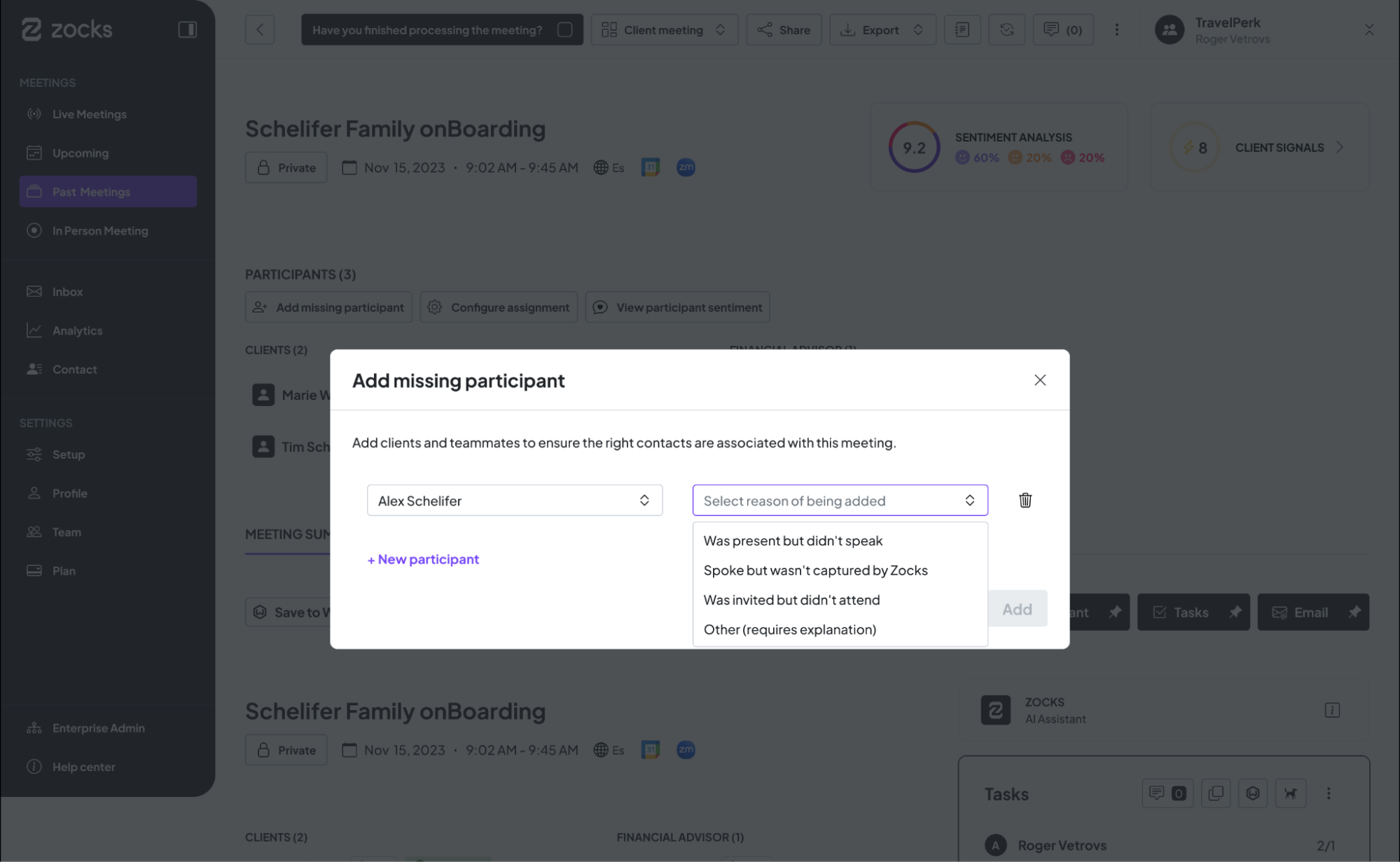
Availability: Flexible participant configuration is rolling out progressively to all accounts.
Better Mobile Experience for Advisors on the Go
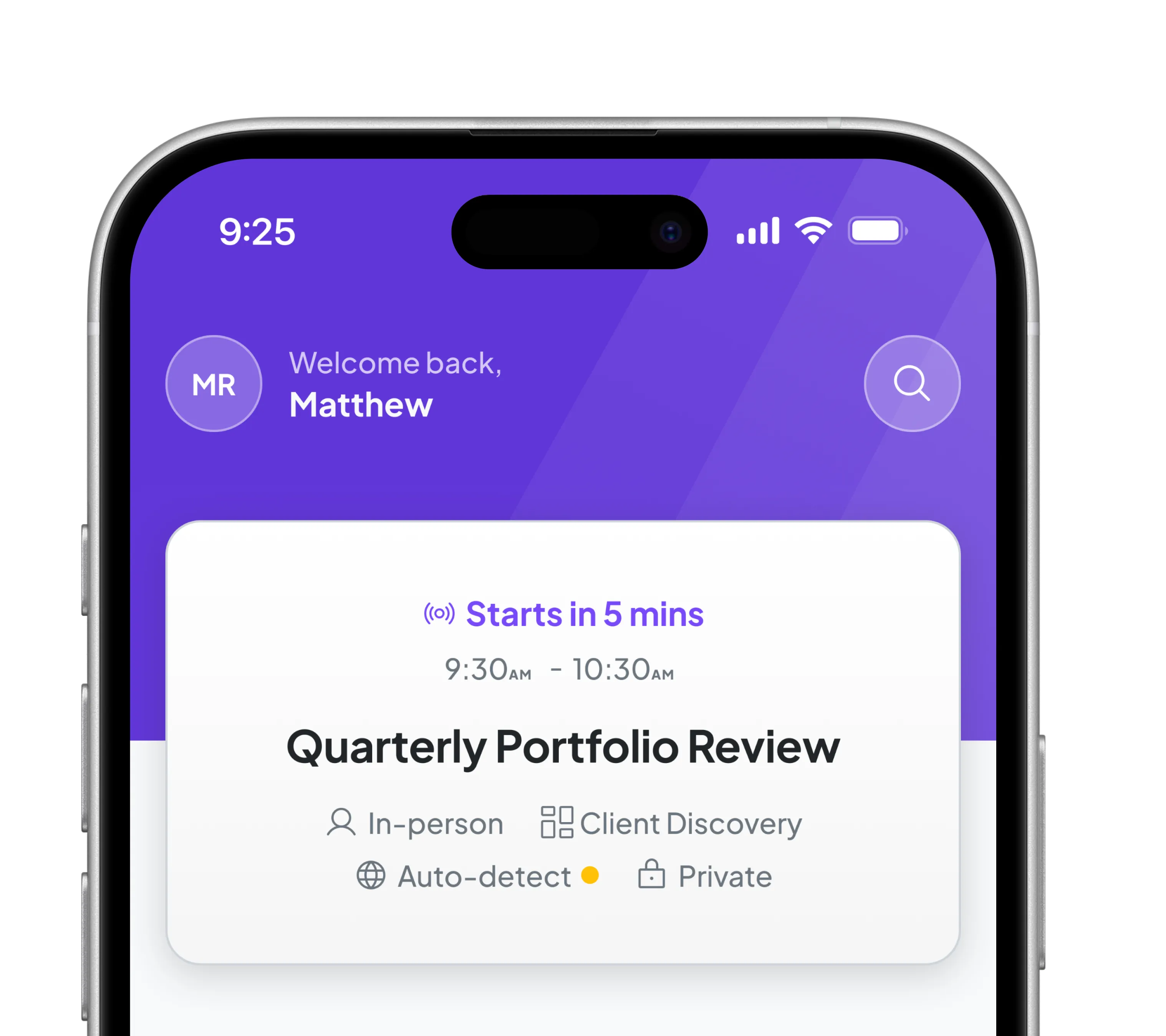
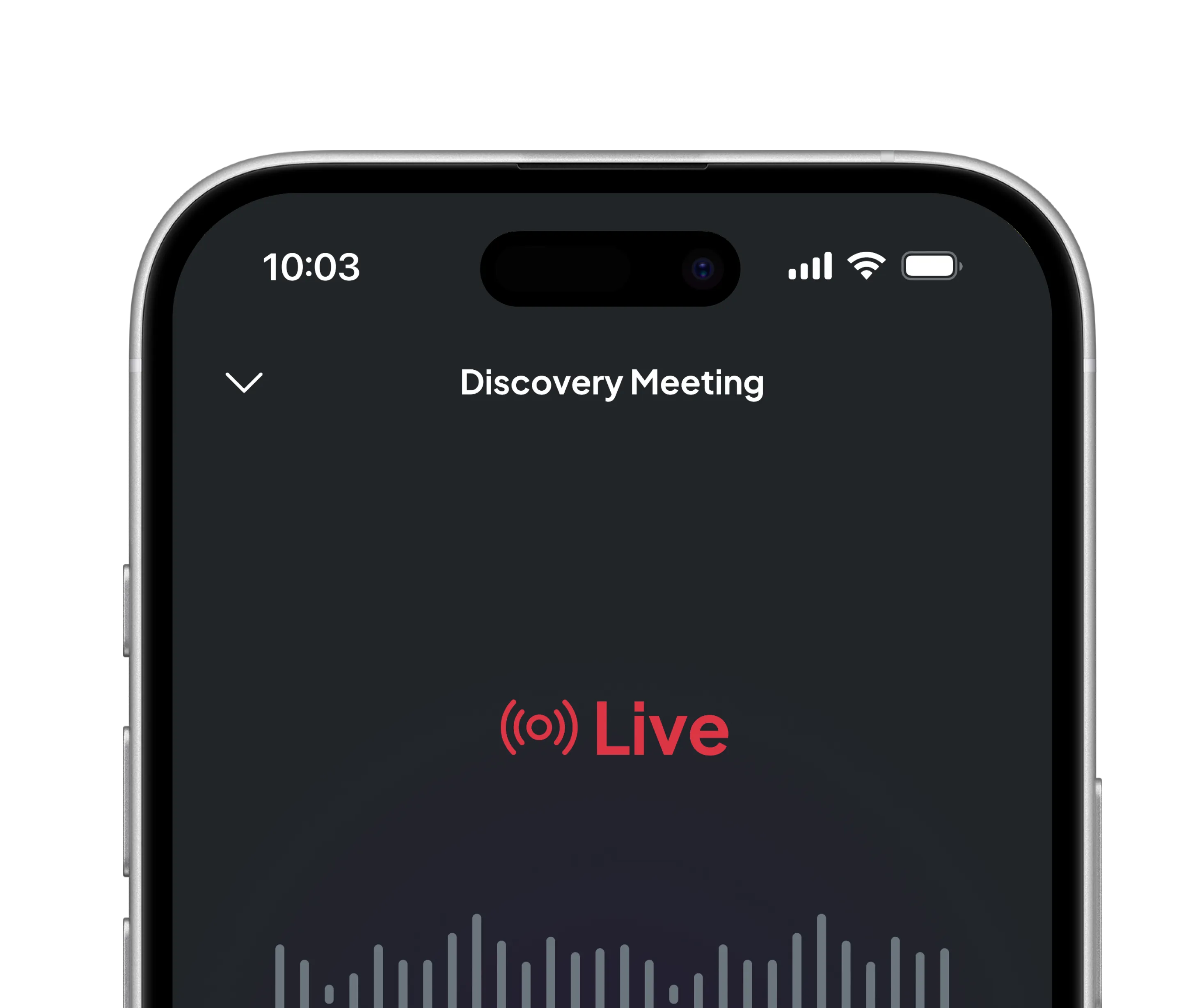
The mobile app has been updated to better support on-the-go workflows. You can now view Notepad notes directly on mobile, making it easier to review key details anytime. Live sessions can also be ended directly from the app once capturing is finished, giving you more control without needing to switch devices. In addition, performance improvements have been rolled out across both mobile and web, delivering a smoother and faster experience overall.
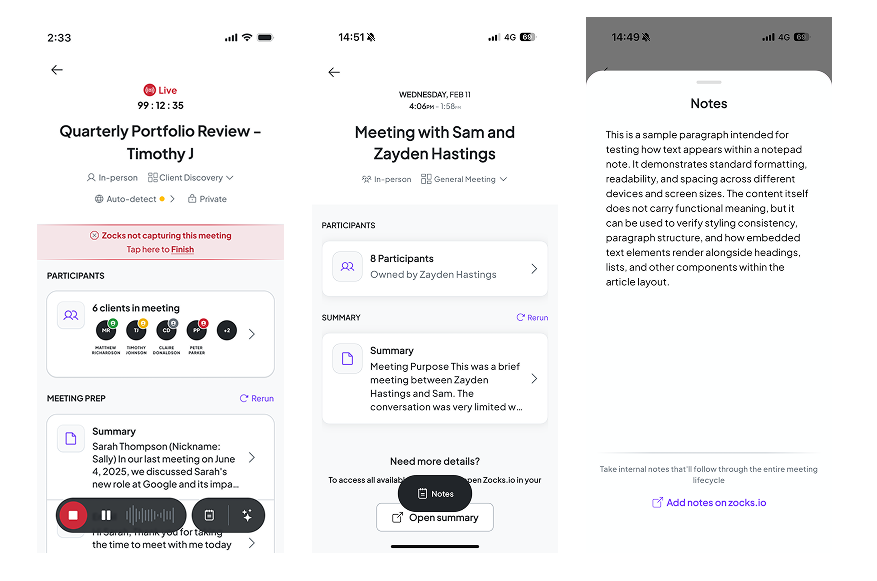
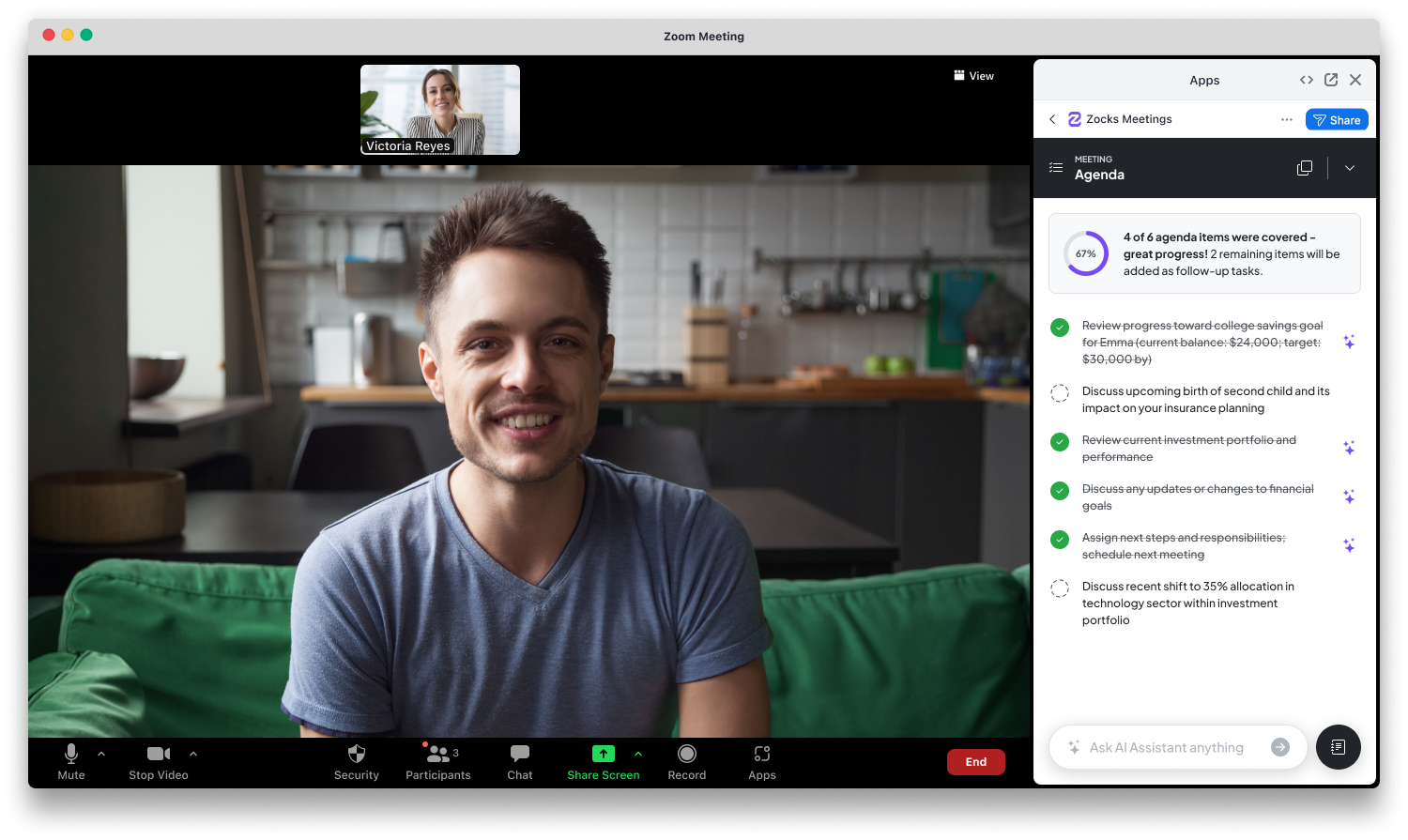
In-Meeting Guidance: Live Agenda
Available in the Zoom plugin and Zocks web app, Live Agenda automatically tracks and checks off agenda elements during a live meeting, allowing advisors to stay focused on the client while maintaining a clear overview of any remaining, undiscussed topics.
Availability: Live Agenda is available on the Pro and Ultimate packages
Assistant Seat Meeting Tracking Is Changing – April 1st
Starting April 1st, we're changing how meeting usage is tracked for Assistant seats - from a shared account-level pool to individual counters per user. Each Assistant user will have their own meeting balance, giving your team clearer visibility into usage.
To keep the transition clean, all Assistant seat usage will be reset on April 1st, so every Assistant user starts fresh with their full meeting limit and can use it in full until their next billing cycle. No action needed from your side.
Related blogs
.avif)
Get started for free in less than 10 minutes