.svg)

May 2026 Product Update
Mobile AI Assistant, Schwab integration, Insights MCP & more - see what's new in Zocks!


May 2026 Product Update
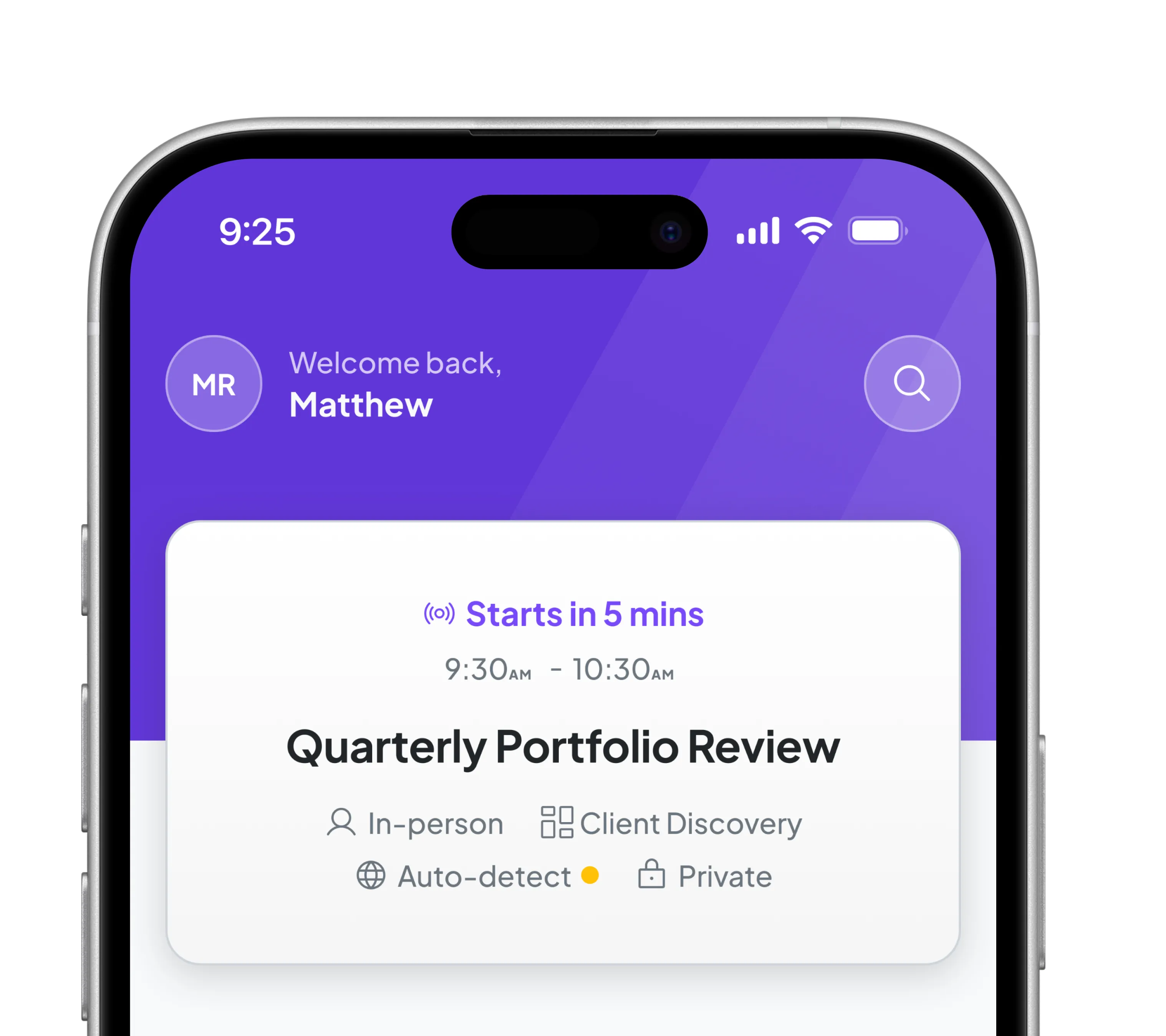
May is a big month for integrations and on-the-go intelligence features in the mobile app. Zocks now connects directly with Charles Schwab, bringing custodian data automatically into meeting prep. We've also connected with Conquest Planning, so your client’s financial plan shows up in meeting prep and you can create or update it directly from Zocks. And Ask Anything is now on mobile, so you can pull up any client or meeting on your phone and get answers before you walk in the door.
Major additions and key updates for May:
- Schwab Integration: Custodian Data, directly in your Zocks workflows (Beta)
- Conquest Planning Integration
- Meet the AI Template Assistant
- AI Assistant on your Mobile: Ask Anything, Anywhere
- Insights at Meeting Prep: Use firm-wide pulse to give better advice
- Conversation Insights via MCP: Firm-Wide Intelligence at Your Fingertips
- Zocks Now in the Official ChatGPT MCP App Library
- eMoney: Create Contact as Planner
- Analytics: Bulk Report Download
- RingCentral Side Recording Processing
Schwab Integration: Custodian Data, directly in your Zocks workflows (Beta)
Custodian data from Charles Schwab, surfaced automatically in your meeting prep, Ask Anything, forms, and email replies, starting with beta access.
Zocks now pulls account balances, holdings, positions, transaction history, unrealized gains, and account status directly from Schwab. That data shows up in your meeting prep, Ask Anything, forms, and email replies, so the full picture of a client's accounts is available wherever you need without switching platforms or looking anything up manually.
Schwab integration is currently in closed beta, rolling out to all accounts progressively.
Conquest Planning Integration: Create and Update Financial Plans Directly from Your Meetings

Zocks now integrates with Conquest Planning and is available for Canadian and US joint customers. Create new plans or update existing ones directly from your meetings, emails, or documents - the insights are already captured, now they flow straight into Conquest without any manual re-entry. Link financial plans to your Zocks contacts, and Conquest data becomes available across Meeting Prep, Ask Anything, Email replies, and Forms, so your planning context travels with you through every client interaction.
Meet the AI Template Assistant
The new AI Template Assistant makes building and refining templates significantly faster - across meeting prep summaries, past meeting summaries, document summaries, and email templates.
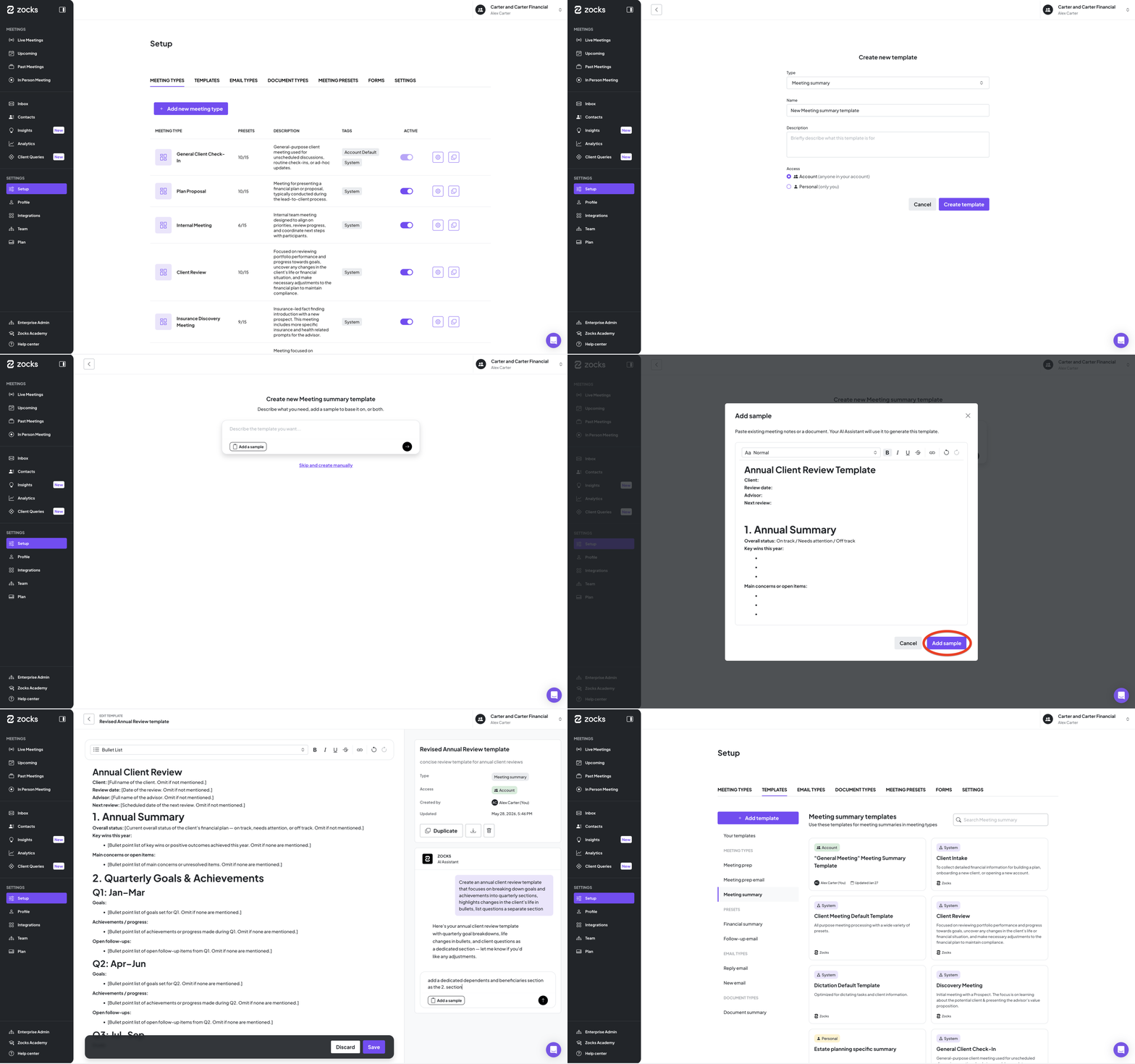
Turn any document into a Zocks template. The "Add sample" flow allows you to paste in the contents of an existing template, a sample meeting note, an email you've sent before, or a document from a previous tool, and the AI converts it into a working Zocks template.
Customization has never been easier. Restructure content, modify formatting, change tone - as easy as showing the AI an example or just telling it what you want.
Simplify what you already have. Paste in your current template and ask the AI to simplify, restructure, or shorten it.
Available in all plans.
Ask Anything, now on mobile
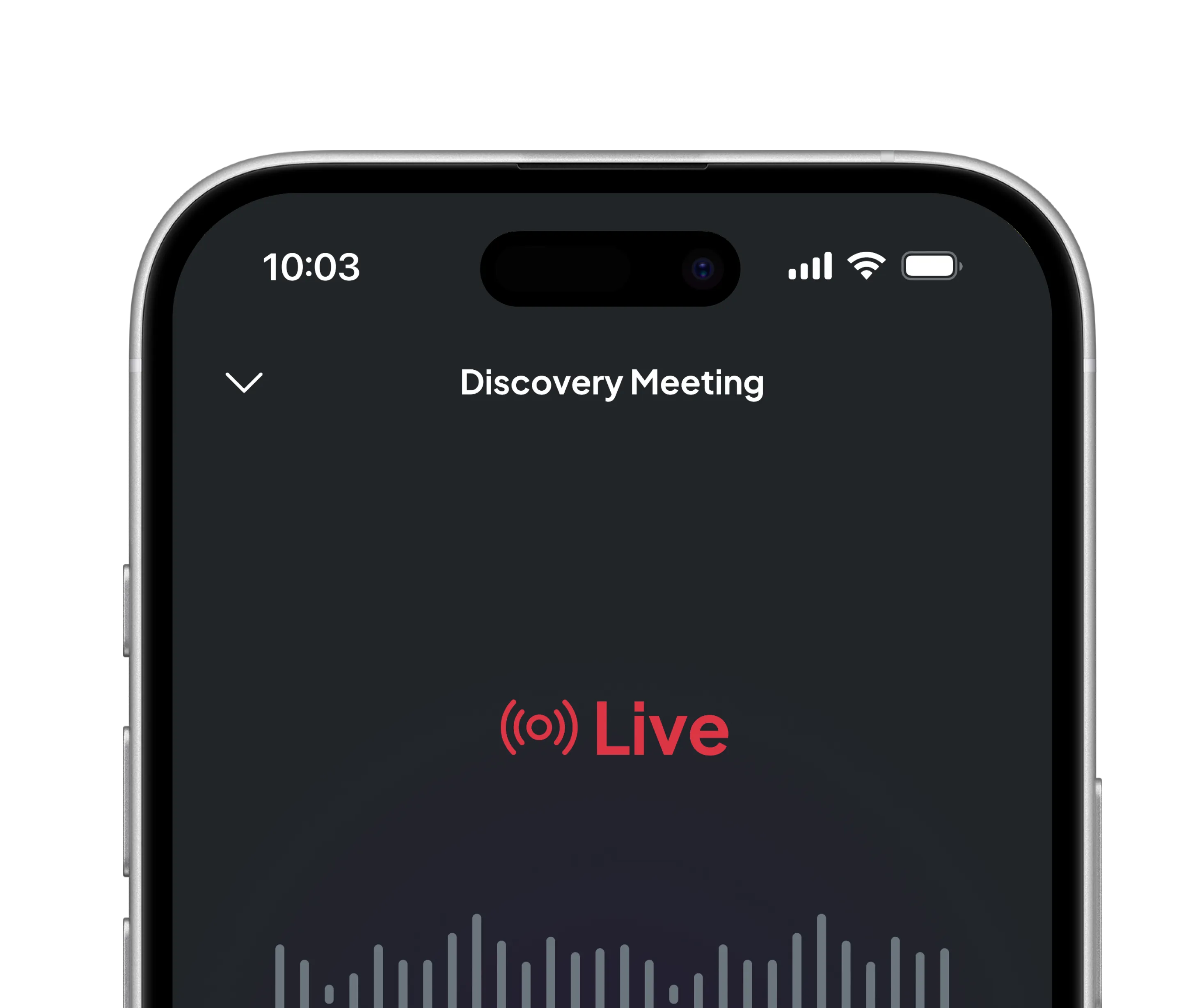
Ask Anything is now in the Zocks mobile app. From any meeting on your phone, tap AI Assistant and get answers from meeting and client data. Restructure summaries, pull up action items, or get context on a client. Same AI capability as the web version, just wherever you are.
Where it fits in your day:
Right before a meeting: "What did we agree to follow up on after our last conversation?" or "What are this client's open priorities?" - Get the context you need, even on your way to an in-person meeting.
Between back-to-backs. "Summarize the key takeaways in three bullets." or "What action items did I commit to?" - instant recall without scrolling through notes.
Right after a meeting - "Restructure this summary by topic." or "Shorten the email summary into a quick client update." - edit and refine summaries whether you are in the office, in a cafe or in your car in a parking lot.
Chat history syncs across web and mobile, so any conversation you start on one device carries over to the other.
Available now in the latest iOS and Android apps.
Insights at Meeting Prep: Use firm-wide pulse to give better advice
You can now see conversation insights from the past 30 days directly in meeting prep - so you walk into every meeting knowing exactly what matters to your clients.
These insights are drawn from all meetings across your firm, giving you a bigger picture of what clients are talking about right now.
For each upcoming meeting, you'll see:
- The topics clients are asking about most
- Asset classes clients felt optimistic about recently
- Your held-away asset suggestion-to-agreement rate
- Whether now is a good time to make a referral, based on recent activity across your firm
No more guessing - just go to Upcoming meetings, open the Meeting prep, and check the Insights section.

Available on Professional and Ultimate plans.
Conversation Insights via MCP: Firm-Wide Intelligence at Your Fingertips
Access your firm's Conversation Insights through Claude or ChatGPT - and get answers you can act on.
Your Conversation Insights are now accessible through MCP-connected AI tools like Claude and ChatGPT. Ask natural language questions across all your meetings and client interactions and get structured, actionable answers instantly.
What you can do with it:
- Coach your team: "Which advisors haven't discussed tax-loss harvesting with any clients in the last 3 months?"
- Spot business development gaps: "Which investment products come up frequently but never convert into opportunities?"
- Build client content: Draft newsletters and talking points from what clients are actually asking about right now.
- Stay ahead of the market: Check advisor readiness against trending financial media topics before clients bring them up.
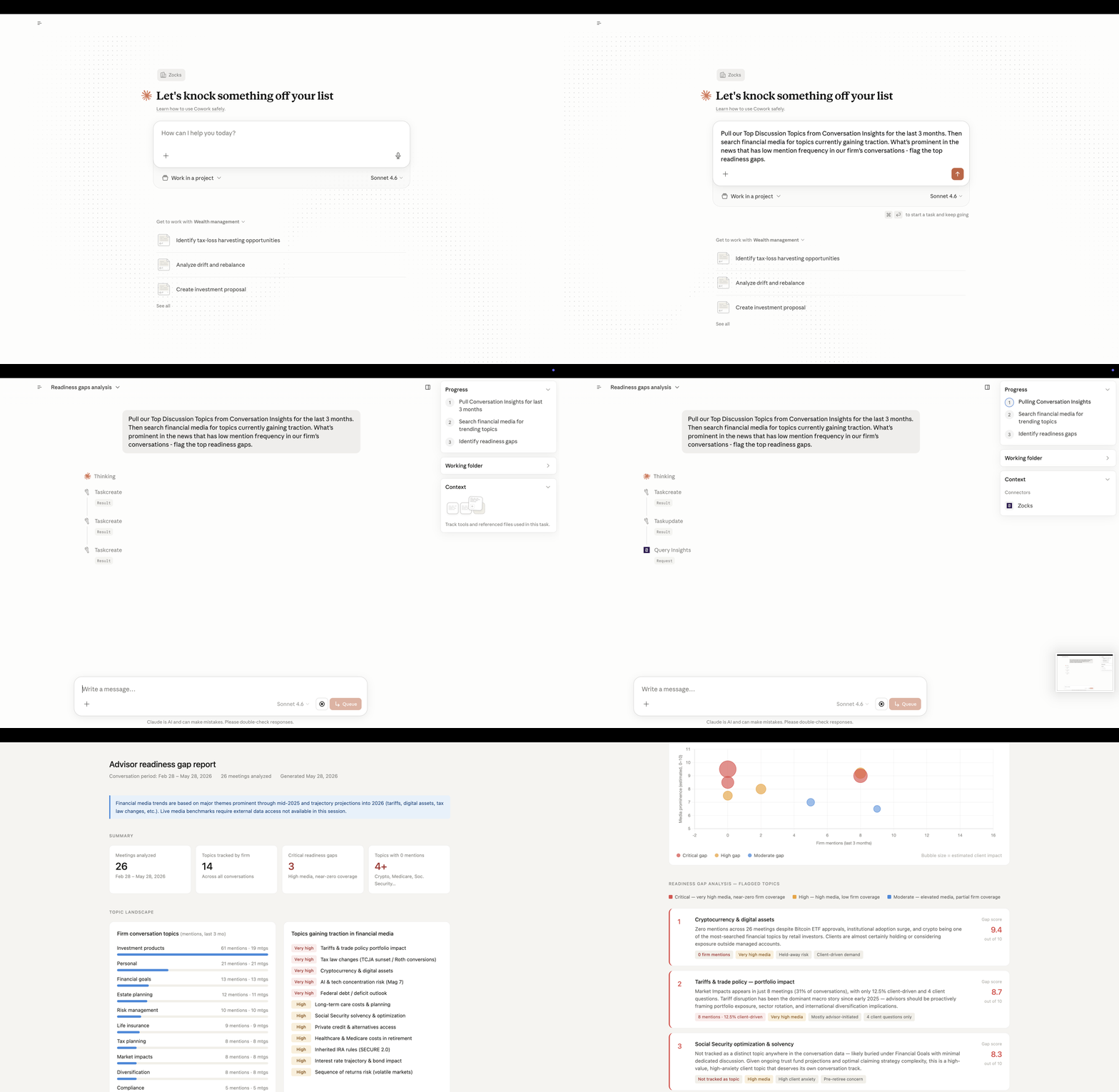
Available on Professional and Ultimate plans. See the Help Center for setup details.
Zocks Now in the Official ChatGPT MCP App Library
.png)
Zocks is now listed in the official ChatGPT app directory, meaning you can connect directly from the list of available apps. Zocks is also available in the Claude Connectors Directory.
Zocks MCP connects your client intelligence, meeting summaries, client profiles, goals, life events, and planning signals directly to AI tools like Claude and ChatGPT. With that context in place, you can ask questions grounded in real client history, produce personalized client-ready deliverables in minutes, or surface planning gaps that would otherwise require hours of manual review.
See how advisors are already using it in our webinar AI in Practice: Reimagining Client Reviews.
Available on Professional and Ultimate plans. Step-by-step instructions for admins and users are available in the Help Center.
eMoney: Create Contact as Planner

Planner-role users can now create new eMoney clients directly from Zocks.
Users with a Planner role in eMoney can now create new clients directly from Zocks by selecting the advisor on whose behalf they want to create the client. The selector is also available for advisor-role users. The flow follows the delegation rules already set up in eMoney.
Available on all plans.
Analytics: Bulk Report Export
You can now export all reports and charts from any analytics tab in one click.
Select the more options menu (⋯) at the top right of the page and choose Export all. However, if you prefer or need to export single reports, you can still do that as well.
Available on Professional and Ultimate plans.
RingCentral Side Recording Processing

Zocks can now process meetings captured through RingCentral's native side recording. If your team already records calls on the RingCentral side, those recordings flow into Zocks for transcription and note generation automatically. No more merging calls, no extra steps, and no change to how you already run your meetings.
This feature is being rolled out to existing accounts gradually, in multiple phases.
New: The Zocks 101 + 201 learning series
Introducing our new weekly, hands-on series for advisors and their teams — designed to take you from up and running to fully customized. Two tracks, running side by side all summer.
Zocks 101: Start Saving 10+ Hours a Week — Connectivity, Trust, & the Meeting Lifecycle
June 11 | 2:00 PM ET → Register Now
Zocks 201: Customization, Workflows & Process Definition
June 18 | 2:00 PM ET → Register Now
Related blogs
.avif)
.avif)
Get started for free in less than 10 minutes