.svg)

June 2026 Product Update
Client Queries, Document Intelligence & more - see what's new in Zocks!

June 2026 Product Update
June is all about helping your firm turn client context into better follow-up, faster prep, and more consistent workflows across the book. With new ways to connect your systems, manage documents at scale, access transcripts, and keep work moving from mobile, Zocks is becoming even easier to fit into the way your team already works. These updates are designed to reduce manual work, so advisors can focus less on chasing task lists and more on helping clients move toward their financial goals.
Major additions and key updates for June:
- Client Queries
- Document Intelligence - Batch Upload & History
- Box Integration
- GoTo Integration
- In-app transcript access for all users
- Mobile App Tasks & Agenda
- App Management: Connect Zocks to Any System You Run
Client Queries: Make untapped growth and service gaps actionable across your book
Introducing Client Queries to help advisory firms find growth opportunities, close service gaps, and act on the highest-value client needs across their entire book.
The opportunities and service gaps are already in your book but finding them usually means building spreadsheets, checking CRM fields, reviewing planning data, and digging through notes one client at a time.
Client Queries brings that work into one workflow. You can ask a question in plain English, Zocks searches every connected system and the client context captured to surface precise client lists, recommended next steps, and workflow-ready automations in seconds.
Use it to identify clients ready for a new service, households falling behind on reviews, prospects needing follow-up, or planning gaps that should be addressed then move directly into the next step. Client Queries helps advisory firms make untapped growth and service gaps actionable across their entire book, reduce manual follow-up work, and run a more consistent practice cadence.
.gif)
Ask questions like:
- Which clients mentioned a 401(k), IRA, or retirement account from a previous employer that we could consolidate?
- Find clients who received an inheritance, bonus, or settlement in the past 90 days but had no investment review since then
- Show me HNW clients with adult children or heirs listed but no formal introduction or family planning meeting
- Find UHNW clients with a sentiment score below 5.0 who have not had an in-person meeting in the past 6 months
- Show clients who are on Medicare or turning 65 this year and mentioned a new health condition or possible loss of employer coverage
- Find clients with a history of charitable giving, a donor-advised fund or an unusually high-income year who haven't had a giving or tax-strategy review this year
From the results, process the list right away, add tasks, notes or tags in your CRM, send a personalized email, launch a Zapier automation, or export to CSV. You can also schedule recurring queries around your firm's cadence, so the right list is ready before you need it.
Client Queries is a usage-based add-on, available for Professional and Ultimate plans.

Document Intelligence - Batch Upload & History: Process client documents easier with full traceability
Document Intelligence just got a major usability upgrade so you spend less time managing files and more time working with insights.
Documents now has its own dedicated main menu item, so you can go straight to document processing from anywhere in Zocks. Upload up to 10 files in a single batch, so whether you're processing a folder of tax returns, compliance documents, or statements, you can do it all at once.
Every uploaded document lives in a searchable history, complete with the main properties of the document, who uploaded it, and what actions were performed. Admins can configure firm-wide data retention policies to strike the balance between usability and internal compliance requirements.
By default, the history feature rolls out with no retention policy to maintain consistency with previously approved scopes. Similar to meetings and contacts, document sharing can be controlled under the Collaboration settings.
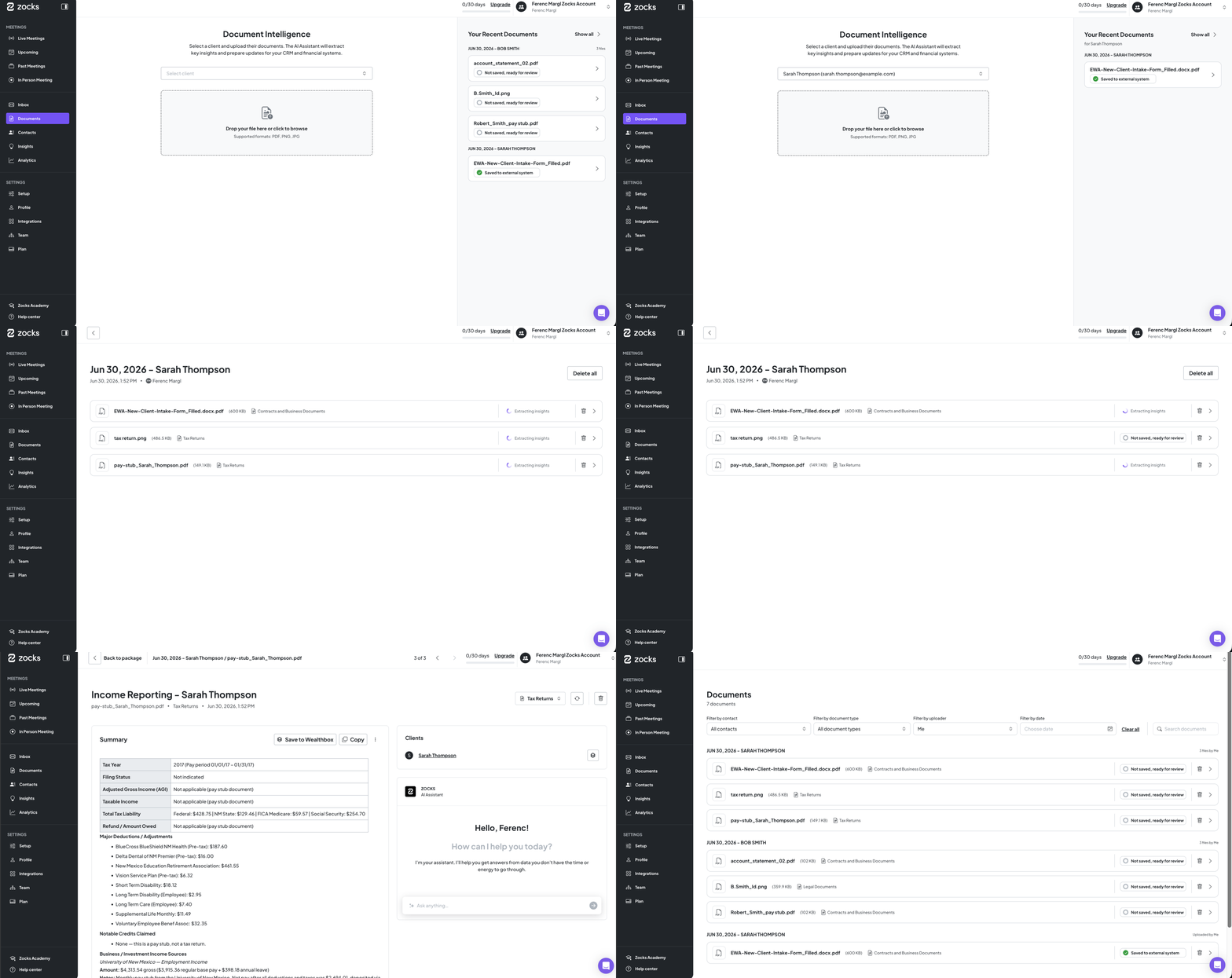

Available on Ultimate plan.
Box Integration: Keep Client Files and Zocks Workflows in Sync
Save meeting outputs directly to Box and pull client documents into Zocks for processing.
With Box connected, you can link client folders to Zocks contacts and save meeting prep, summaries, forms, and document summaries as PDFs directly to the right Box folder with a single click.
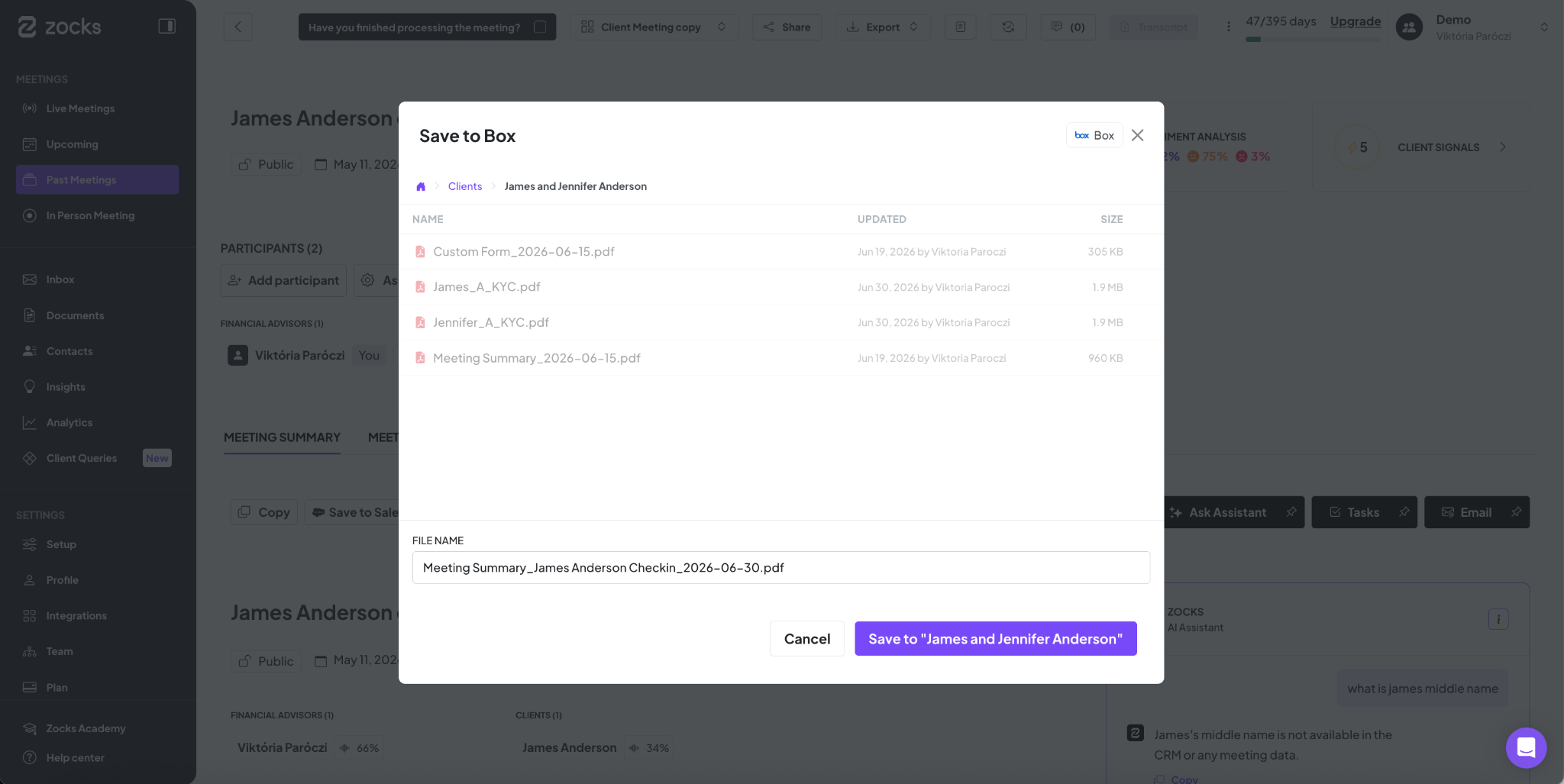
Available on all plans.
You can also pull documents from Box directly into Zocks Document Intelligence, to easily process and summarize the most current client files without requiring manual uploads.
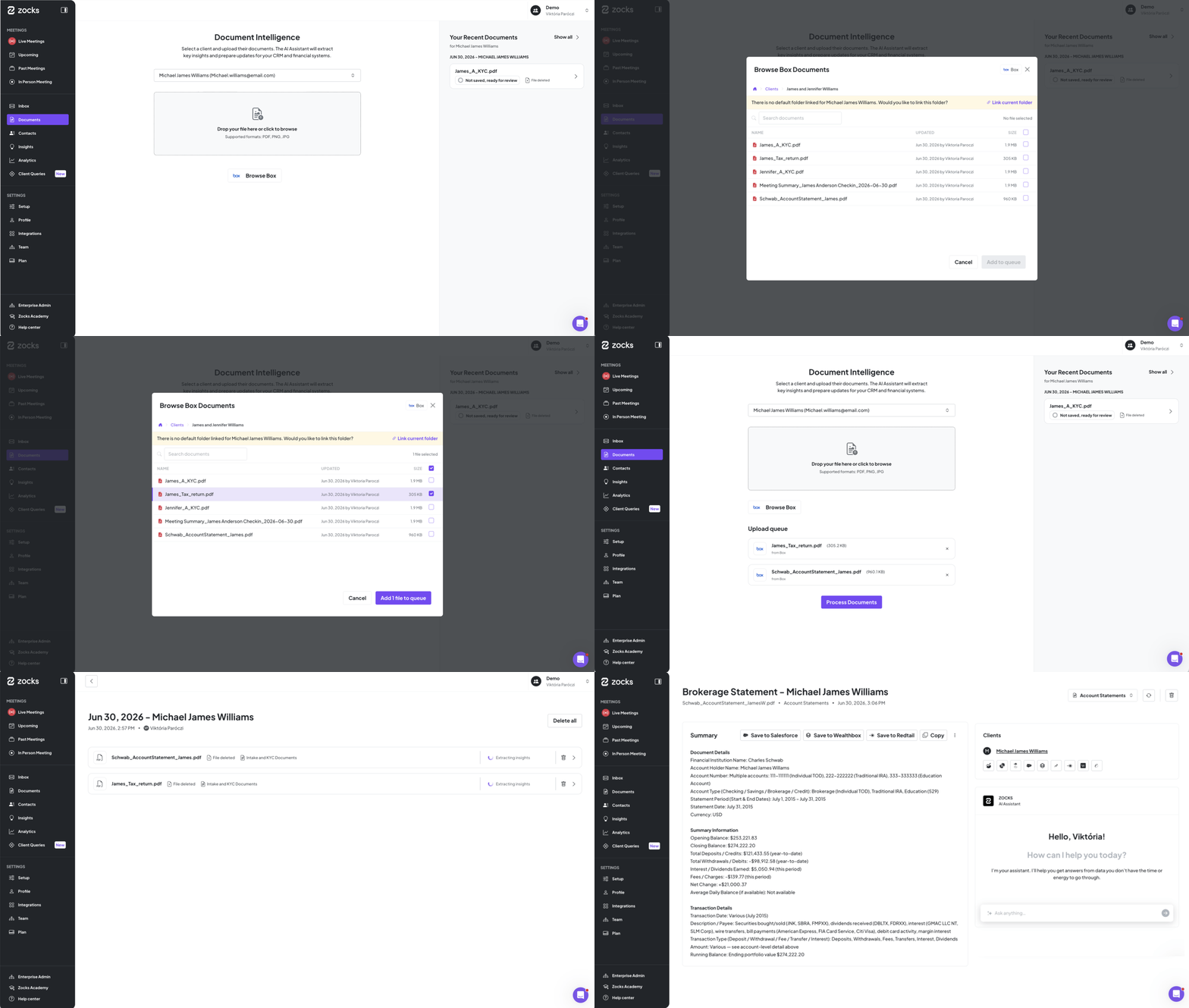

Box support for Document Intelligence is rolling out progressively.
Document Intelligence is available on the Ultimate plan only.
GoTo Integration: Turn recorded GoTo Connect calls into Zocks meeting outputs

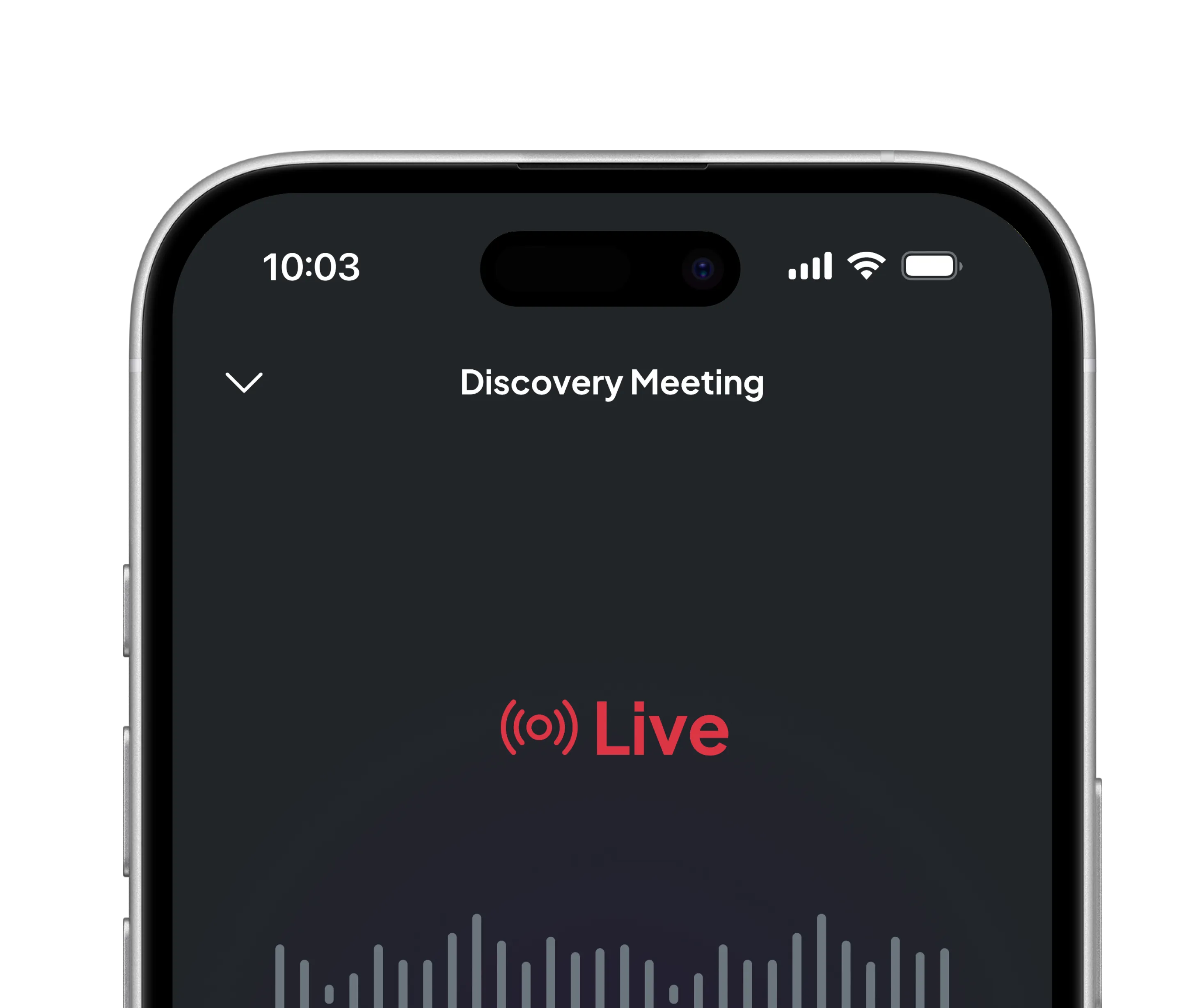
Zocks now supports GoTo-side call recordings, making it easier for teams using GoTo Connect to bring phone conversations into their existing Zocks workflow.
When a call is recorded in GoTo, Zocks can process the meeting automatically and generate the same structured meeting outputs your team already uses.
Available to all Zocks users and rolling out to all accounts progressively.
In-app Transcript Access: View and download a complete record of every client conversation
Any Zocks user can now view and download meeting transcripts – a complete record of what was said, when, and by whom.
Owners and Admins can turn it on under Setup → Settings → Transcript. Once enabled, transcripts appear as a new tab on the Past Meetings page.
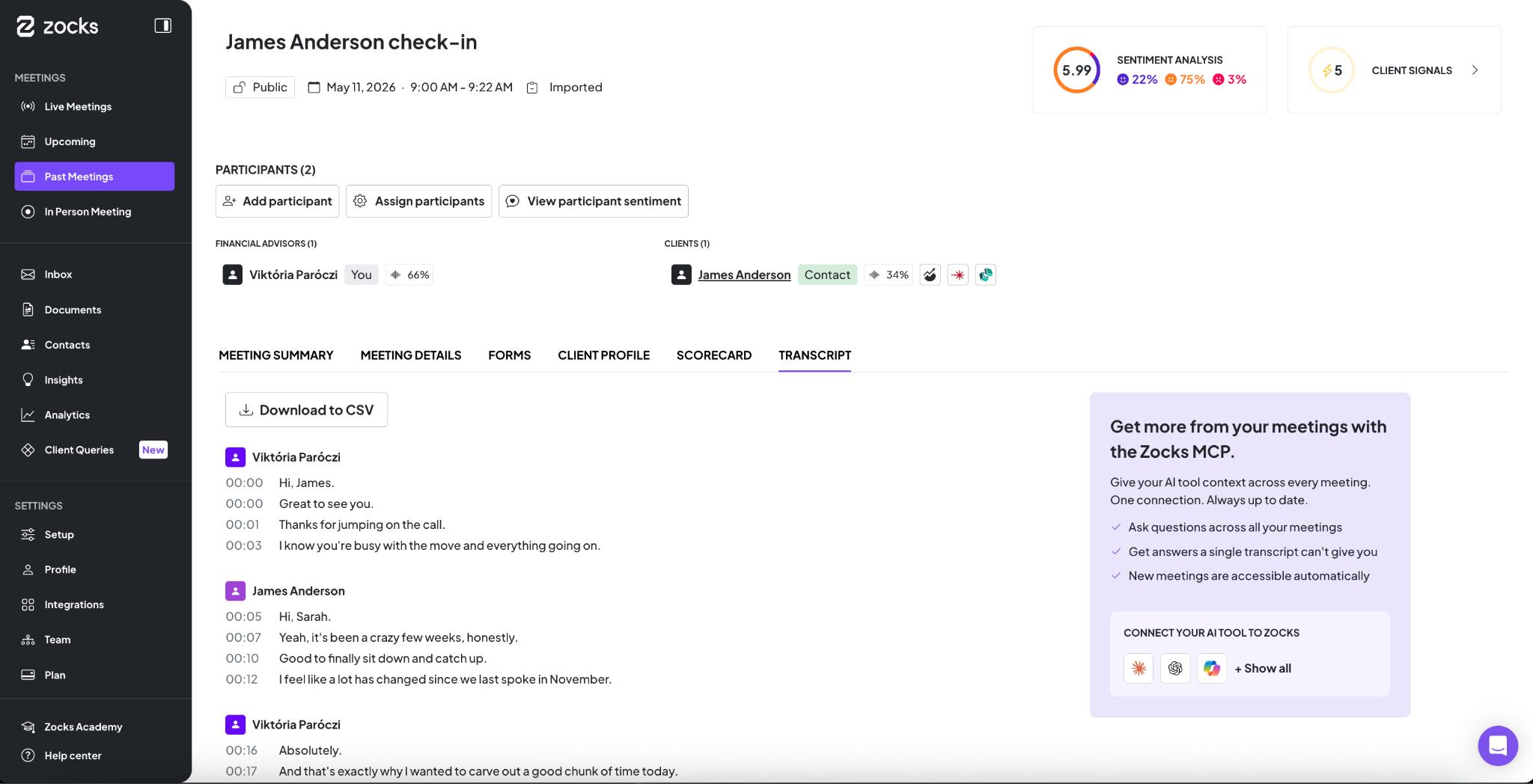
A note before you enable it: if what you're really after is putting your meeting content to work – asking questions across conversations, generating outputs, feeding client context to your AI tools — Zocks MCP does that without you ever touching a raw transcript file. It's worth exploring first.
Transcript access is available to all Zocks users.
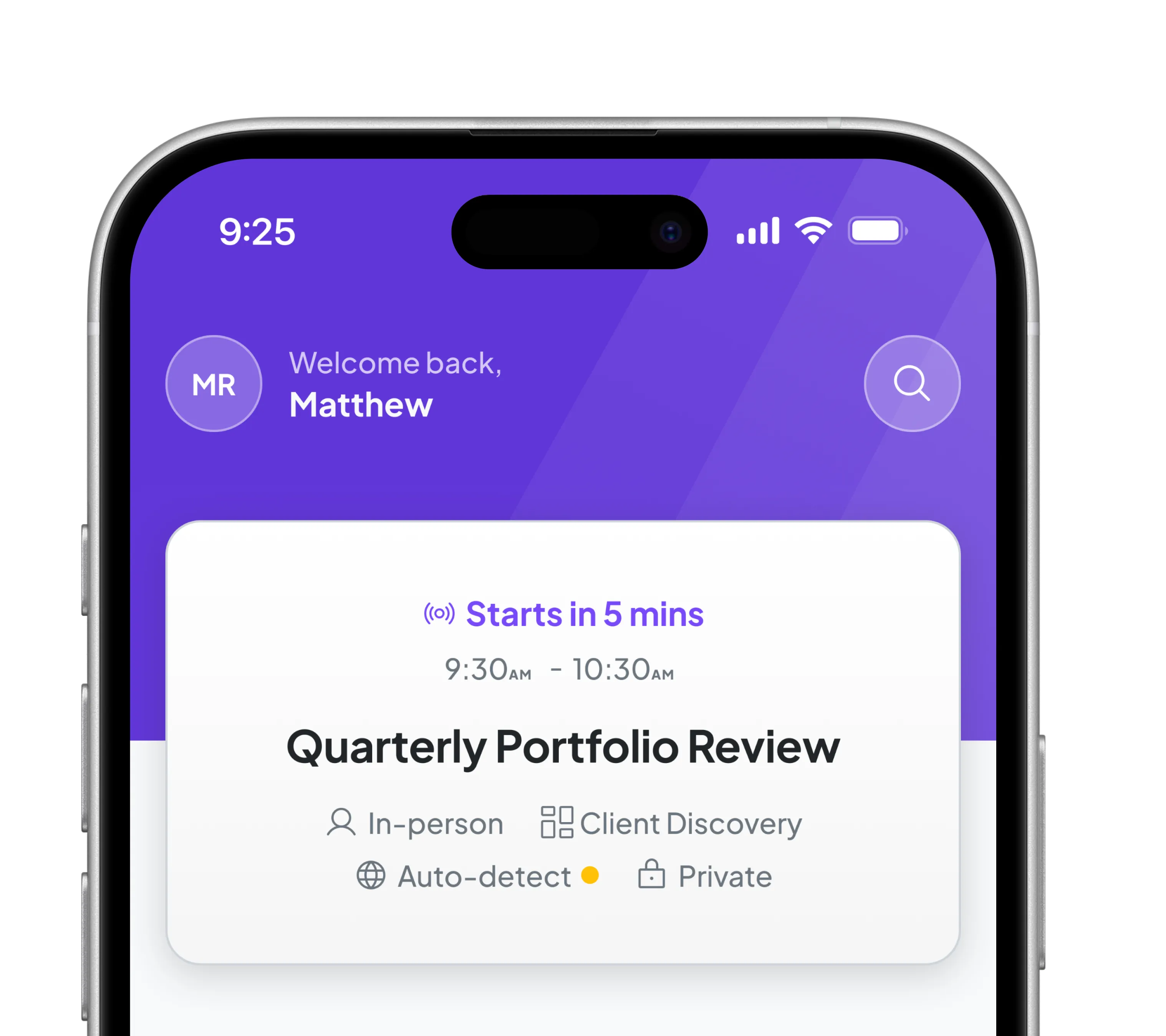
Mobile App Tasks & Agenda: Manage prep, agenda, and follow up from your phone
The Zocks mobile app now supports more of the meeting lifecycle, especially for in-person meetings where advisors may not want to return to desktop between prep and follow-up.
Meeting preps arrive with an agenda already generated, and advisors can also add agenda items manually, so they are not starting from a blank page before the meeting. Agenda topics are auto-populated based on the agenda template tied to the meeting type.
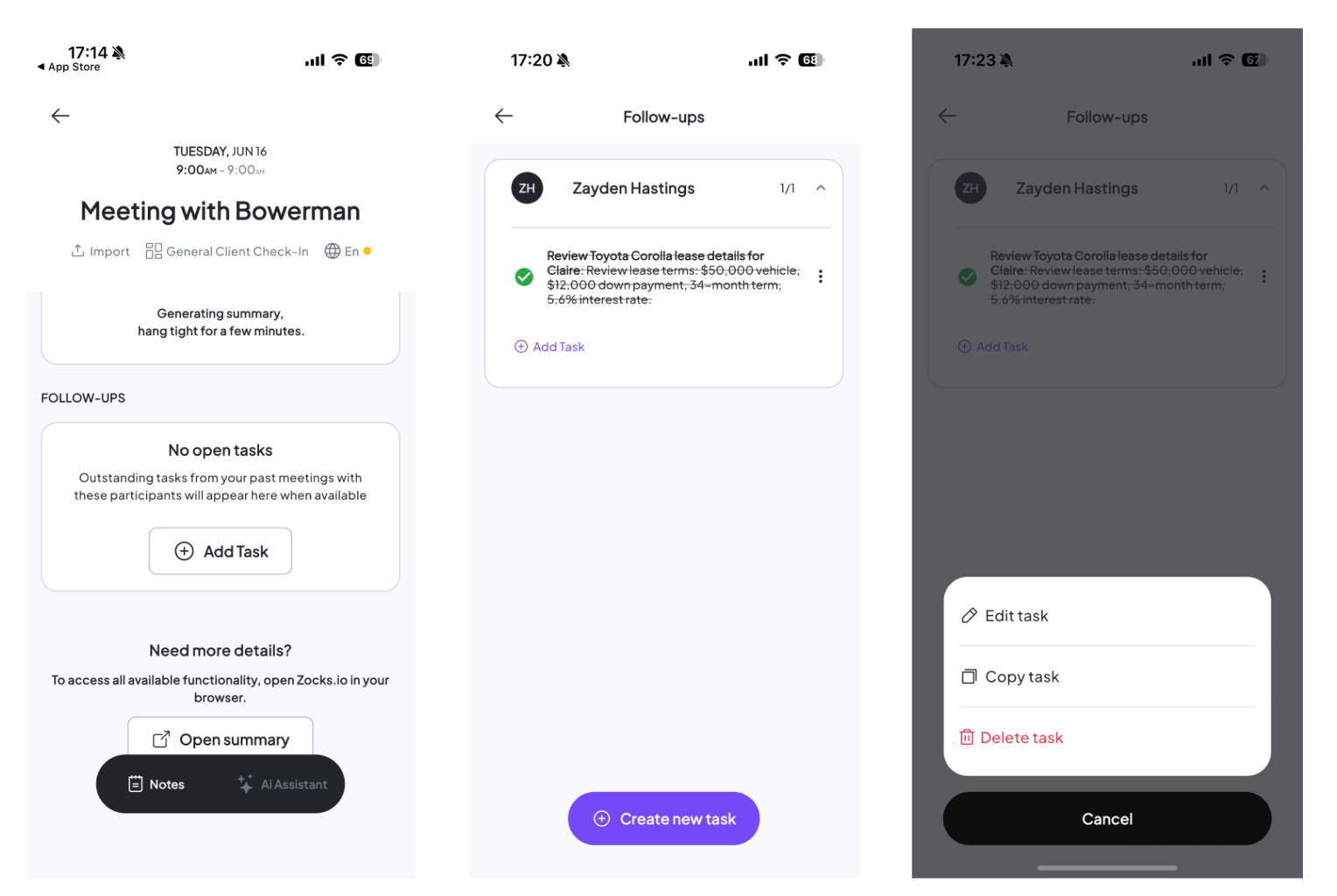
Advisors can manage tasks on any past meeting directly from the phone: add and edit tasks, copy or delete existing ones, and mark items complete so follow-up status stays current while the conversation is still fresh.
All agenda, prep, and task actions stay in sync between mobile and desktop, just like other Zocks features. Advisors can start from desktop, continue from mobile, or move back again without losing context or duplicating work.
Available to all Zocks users and rolling out to all accounts progressively.


App Management: Connect Zocks to Any System You Run
For firms with proprietary tools, internal platforms, or workflows that don't fit a standard integration.
Tech stacks often include a system that standard integrations don't cover: an internally built portal, a proprietary CRM or a custom tool. Until now, that was where the automation stopped. With Zocks' new public API and webhook architecture, your development team can build a direct, first-party connection between Zocks and any system your firm runs.
The full developer documentation is live. Your team can create an app under Integrations/Apps, configure the scopes they need, and get credentials immediately.
If this sounds relevant for your firm, share the developer docs with your technical team. Our Solutions Team is also happy to talk through what's possible. Please reach out to integrations@zocks.io

Available on Professional plan and above.
Related blogs
.avif)

Get started for free in less than 10 minutes